
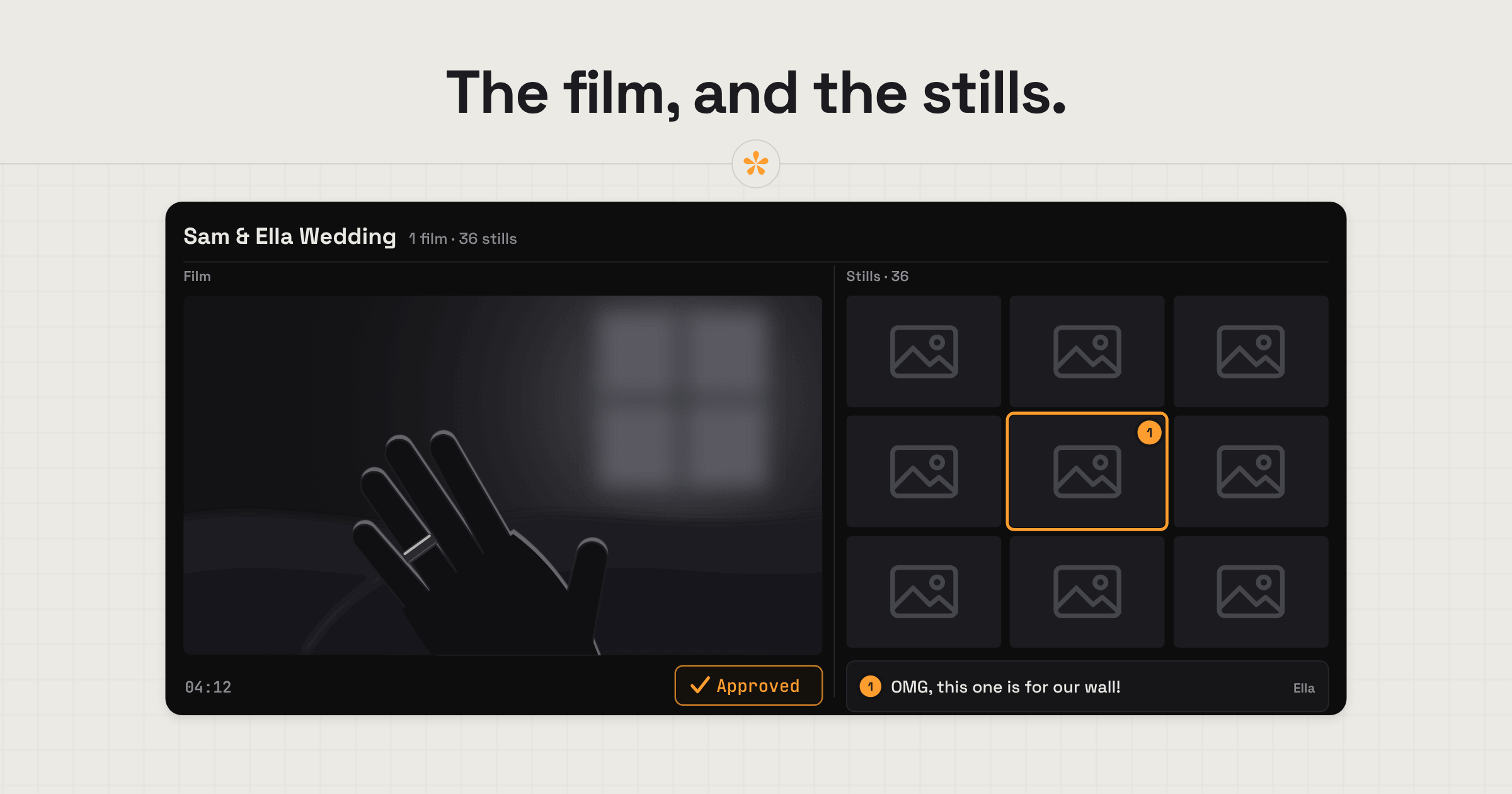
Wedding filmmakers can make the review process easier for couples by giving them a simple way to point out the moments they'd like changed. SceneNote lets couples open their wedding film on their phones, pause at any moment and leave a written or voice note without creating an account. Revised cuts stay under the same link until they're happy and approve the film, and image sets let them review photos and stills too.
The short version
- Upload the highlight film to its own project.
- Add a short pre-watch note for the couple.
- Send them the review link.
- They watch on their phones and leave notes or voice notes on the exact moment.
- Work through the notes in the review room, and add the changes as a new version.
- The couple approve, and their names and the date are recorded.
- Do the same for the full film, in a project of its own.
ON THIS PAGE · 8 SECTIONS
Where does wedding film feedback go wrong?
Wedding film feedback goes wrong mostly because couples aren't used to giving notes on a film, and the notes arrive in whatever way is easiest for them at the time.
Notes by text message
“Can you not use the bit where I look funny?” in a text at 11pm. Weddings are all about the couple and how they look, so a lot of notes are about a particular angle or shot that isn't flattering. Without a visual way to point at it, it's hard to know which moment they mean. On a review link, the bride pauses on the exact shot and can circle it on the frame, so there's no guessing.
Parents with opinions
The couple show the film to their parents, and suddenly there are three sets of notes. Everyone who comments adds their name, so you can see who said what. It helps to say in the pre-watch note that the couple's notes are the ones you'll work from.
A song they want changed
Music is one of the most personal parts of a wedding film. If the couple are torn, give them a poll between two or three tracks rather than recutting to each one.
What does a typical wedding delivery look like?
A typical wedding delivery in SceneNote gives each film its own project and runs from the first cut to an approved film.
- Highlight film first. Upload it to its own project. It's shorter, so it's a gentle first review, and it often settles the music and the tone.
- A pre-watch note. “Watch it somewhere comfy with the sound up, then pause anywhere you'd like a change.”
- Notes on the phone. Most couples watch on their phones, often together on the sofa. They pause and type, record a voice note, or draw on the frame with a finger.
- Work through the notes in the review room, and reply under a note if you need to check what they mean.
- Add the changes as a new version on the same link. Older versions stay there, read-only, with their notes.
- Approval. The couple press Approve, and their names and the date are recorded.
- The full film. Do the same in a second project, so its notes never mix with the highlight film's.
Why do voice notes suit couples?
Voice notes suit couples because most of them would rather say what they feel than type it. A voice note in SceneNote is up to 60 seconds, lands on the exact moment they paused on, and is transcribed automatically, so you can read it at a glance. “I love this bit, but can it go on a little longer before the speech?” takes five seconds to say and a lot longer to type on a phone.
How do you deliver stills alongside a wedding film?
To deliver stills alongside a wedding film, put them in an image set in SceneNote, next to the film's review link. Image sets are one of the most useful parts of SceneNote for weddings.
- When stills are part of the job. On many weddings, video and photography come from the same team. The couple can see the film and the photos in one place, browse the stills in a grid or one at a time, and pin a note on any of them (“a bit brighter”, “crop tighter”).
- As a little extra. If you only shoot video, pulling a handful of frame grabs is a nice touch: lovely moments that didn't make the cut, or simply great shots. Couples tend to remember that kind of extra.
- Picking favourites. Add a poll so the couple can choose which stills they love most.
On Pro, an image set holds up to 200 stills sorted into folders, and stills can sit inside the film's own project.
What does this look like on a real project?

Couples send feedback however suits them: a call, WhatsApp, a voice message. That keeps it relaxed, which is nice for them, but the notes are often vague.
A lot of the changes are ones you'd barely notice: a family member who didn't get enough screen time, or a shot they don't like how they look in. You might think the shot works for the edit, but it's about making the couple happy, and it's rarely worth the debate.
Parents and family don't often get involved, but when they do, it can be really frustrating. Everyone has their own idea of what the film should be, but it should come from the couple, who were part of the brief and signed off on what they were getting. Getting everyone's notes into one place would be ideal.
Stills always went out with the film, usually in a Google Drive or Dropbox folder, and there was never a good way for couples to comment on a photo. It was back to email and WhatsApp.
Clear notes start before the wedding: agree on the brief and the deliverables up front. They'll still ask for things that were never agreed, and it's their day, so you do your best. When the notes come in, timestamps help more than you'd think. Couples mention people by name you've never met, and the timestamp shows you exactly who they mean.
Which SceneNote feature fits which moment in a wedding delivery?
Wedding filmmakers lean on a small set of SceneNote features.
| The moment | The feature | Why it fits |
|---|---|---|
| Setting the scene before they watch | Pre-watch note | They read it before pressing play |
| “Can we hold on the rings a bit longer?” | Timestamped note | Pinned to the exact moment |
| Easier to say than type | Voice note | Up to 60 seconds, transcribed automatically |
| “Not this angle of the dress” | Drawing on the frame | A finger on the phone screen |
| Two songs to choose from | Poll | The couple pick, and the choice is on record |
| Stills to go with the film | Image set | The couple browse them, pin notes and pick favourites |
| The changes are in | + version | Same link, and each version keeps its own notes |
| They're happy | Approve | A dated record that the couple signed off |
Which guides help wedding filmmakers most?
- How to give video feedback from your phone (worth sending to the couple)
- How to explain a change when you're not a video person
- How to let a client choose between edit options
- How to share a confidential video for review
FAQ
Does the couple need an app or an account?
No. The review link opens in any phone or computer browser, and they type their names the first time they leave a note. There's nothing to install.
Can each partner review on their own phone?
Yes. They both open the same link, and each adds their own name, so you can see whose notes are whose, even if one of them is away.
Is the wedding film private?
An uploaded film stays off YouTube and Vimeo, review links are never indexed by search engines, and a link only opens its own project.
Can the couple download the film from SceneNote?
On Pro you can switch on original downloads, add a password to the review link, and keep uploaded films without them expiring. Many wedding filmmakers deliver the finished film through their usual delivery service instead.
What's the simplest way to get feedback from a couple on a wedding film?
Give each film its own project, send one link the couple can open on their phones, let them pause and type or simply talk, add the changes as a new version and finish with their approval.
Their wedding film. One simple review link.
Let couples watch, leave notes or voice messages, and approve straight from their phones.
Related guides
Bryn North
Filmmaker and creative director · part of the team behind SceneNote
Bryn North is a filmmaker and creative director who has been making films since 2013, mostly documentaries and travel films, with a soft spot for stories about cultural heritage. He has directed, shot and edited launch films for DJI, worked with brands like Audi and Samsung and with a number of tourism boards, and some of his personal travel films have had millions of views. Working with a new client almost every month, he found that most of the job was communication, and that every client gave feedback differently. SceneNote is his answer: one simple way for clients to leave detailed notes and talk them through.
More guides by Bryn →