
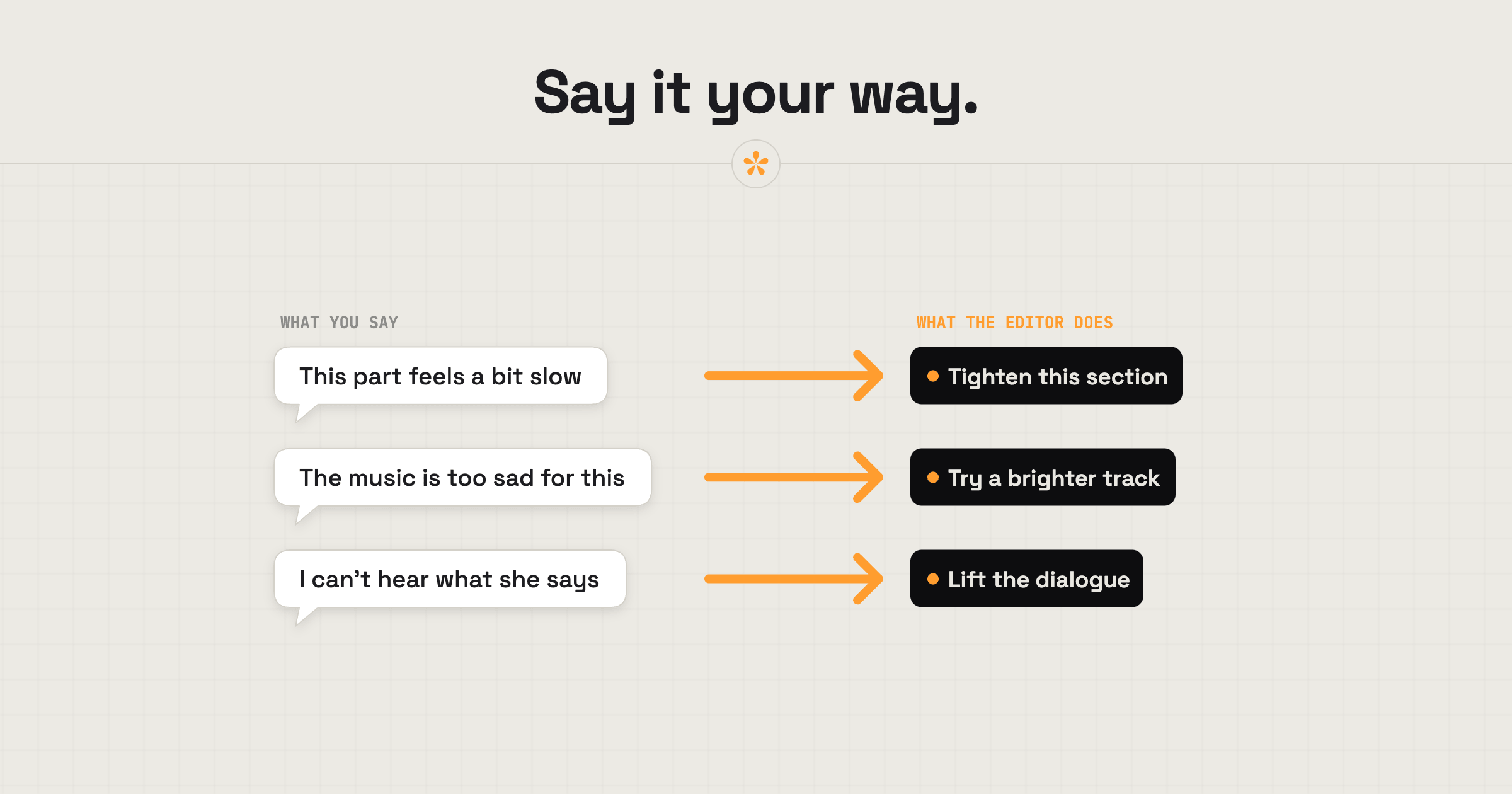
You don't need to know editing lingo to give useful feedback on a video. Point to the exact moment and explain what isn't working, what you'd like to change and why. “This section feels slow” or “I can't hear what she's saying” gives the editor something useful to work with. If it's hard to explain in words, a reference, drawing or voice note can help.
ON THIS PAGE · 8 SECTIONS
Why does the “why” matter most when you give video feedback?
The reason behind a note matters more than the fix you suggest, because the editor knows what's possible with the footage, the time and the budget. Tell them what you feel and why, and they can find a fix that works, sometimes a better one than you'd have thought of.
- Describe the feeling, not the fix. “It feels slow”, “it's too serious for us” or “I lose track of who's talking” are all notes an editor can act on.
- Say who it's for. “Our customers won't know this word” explains a change better than “cut this line”.
- It's fine not to know why. “This bit feels off and I can't say why” is a useful note. The editor will often spot the cause.
- Say what you like as well. “Love this shot, keep it” stops it disappearing in the next version.
- Ask rather than guess. “Is the jump here on purpose?” gets a quicker answer than a fix for something that wasn't broken.
Which plain words do editors understand?
Editors understand plain words perfectly well; what helps is being clear about what you noticed. Here are some common reactions and how to put them into a note.
| What you notice | What to say | What the editor hears |
|---|---|---|
| It feels long or slow | “This part feels slow. Could it be shorter?” | Trim the section or speed up the pacing |
| You lose track of who's speaking | “I'm not sure who this is. Can we show their name?” | Add a name title, or a clearer shot of the speaker |
| The music doesn't fit | “The music feels too sad for this.” | Try a different track, or change where it comes in |
| You can't hear someone | “I can't hear what she says here.” | Lift the voice or lower the music |
| It looks dark or odd | “This shot looks darker than the others.” | Match the colour to the shots around it |
| Something looks wrong in the frame | “There's a cup in the corner. Can we hide it?” | Crop, cover it or use another take |
| A shot goes by too fast | “Can we stay on this a bit longer?” | Hold the shot longer |
| It doesn't feel like your brand | “This feels too playful for us.” | Adjust the tone, music or graphics |
How do you show it instead of typing it?
When a change is hard to put into words, show it. On a SceneNote review link you can draw on the paused frame or record a voice note, and both land on the exact moment like a typed note.
- Draw on the frame. Pause, choose Draw, and circle or point at the thing you mean: the cup in the corner, the logo that's too small. Add a few words to say what's wrong with it.
- Say it in a voice note. Tap the microphone and talk for up to 60 seconds, the way you'd explain it to someone sitting next to you. SceneNote transcribes it, so the editor can read it as well as hear it.
- Mark a stretch, not just a moment. If the whole section feels slow, press + range and set where it starts and ends.
- Show a reference. When something is hard to put into words, show the editor something with the feel you're after: a song, a look, a moment in another video. More on that below.
SceneNote was built by editors, so your notes arrive in a form they already work with: times, stretches and drawings on the frame. The editor can even bring them straight onto their editing timeline as markers (how editors get notes into their software).
How do you share a reference?
A reference is often the quickest way to show what you're after, because references can speak louder than words. They help most with things that are hard to describe, like a sound or a look: the editor sees or hears exactly what you mean and knows how to recreate it. For music, paste a link to a song you like; for a style, a link to a video or a moment in one. Then say what you like about it.
- Copy the link to the video, song or page you have in mind. For one moment in a YouTube video, use YouTube's Share button and tick “Start at”, so the link opens at that exact moment.
- Paste it into a timestamped note at the moment it applies, or into General feedback if it's about the whole video.
- Say what you like about it. For example: “I like how the title appears in this video. Can we do something similar?”
On a SceneNote review link, a pasted link shows as a small chip with the site's name, and opens in a new tab when the editor clicks it.
How do you answer an editor's poll?
An editor sometimes asks a question with a few answers to choose from, like “Keep this shot or replace it?”. On a SceneNote review link, click the answer you want; click it again to take your vote back, or click another to change it.
Some polls hide the results until you've voted, so you give your own view rather than following everyone else. If your choice needs explaining (“B, but only if the ending is shorter”), reply under the poll. Editors who use polls on decisions explain why in how to let a client choose between edit options.
Is it OK to ask for more changes?
Yes, changes are a normal part of making a video, even late in the process. The thing to know is that most editors agree a number of revision rounds up front, so a big change after that may count as an extra round.
If you want something changed after the agreed rounds, talk to your editor first rather than just adding it to the notes. Most will happily find a way; they just want to know. How many revision rounds a video edit should include explains how rounds usually work.
What does this look like on a real project?

If you're not a filmmaker, you're in good company: a lot of my clients aren't, and that's totally normal. You don't need to know why something isn't working. I've had clients who just don't like the song and can't tell me why, and that's okay. Maybe it isn't what they had in mind, or the mood is wrong. Part of my job is to read between the lines.
What helps me most is a clue. “The vibe just doesn't feel right”, “it feels a little sad” or “it doesn't suit the style we're going for” all point me somewhere. “I don't like it” on its own doesn't. So say how it made you feel, even if you're not sure why.
If I'm still not sure what you mean, I'll usually give you a few options to choose from before I do more work, especially with music. On SceneNote, I might reply to your note with links to a couple of alternatives. All you have to do is pick the one that feels right.
FAQ
What if I don't know what's wrong, only that something feels off?
Say exactly that, at the moment it happens. “This bit feels off and I'm not sure why” is a useful note, and the editor will often spot the cause.
Do I need to learn editing terms?
No. Plain words are better than half-remembered jargon. Say what you see and how it feels, and why it matters to you.
Can I suggest a fix?
Yes, as long as you say why. “Could we cut this line? Our customers won't know the word” lets the editor use your fix or find a better one.
Is it rude to give a lot of notes?
No. Clear, specific notes are easier to work with than a few vague ones. Saying what you like as well helps the editor know what to keep.
What's the simplest way to explain a change to a video editor?
Point at the moment, say how it feels and why, and show it if words fall short: draw on the frame, record a voice note or paste a link to something you like. Your own words are enough.
No editing lingo needed.
Point to the moment and explain what feels off in your own words. Your editor can take it from there.
Related guides
Kiril Dobrev
Filmmaker · part of the team behind SceneNote
Kiril Dobrev is a filmmaker with 15 years of experience and a passion for documentary and travel. He’s spent a lot of that time in the editing room, obsessing over how to make his workflow better, and the feedback loop has always been a big part of that. Post-production still hasn’t had a good enough answer to it. SceneNote was born from that, with one simple idea: make feedback better.
More guides by Kiril →