
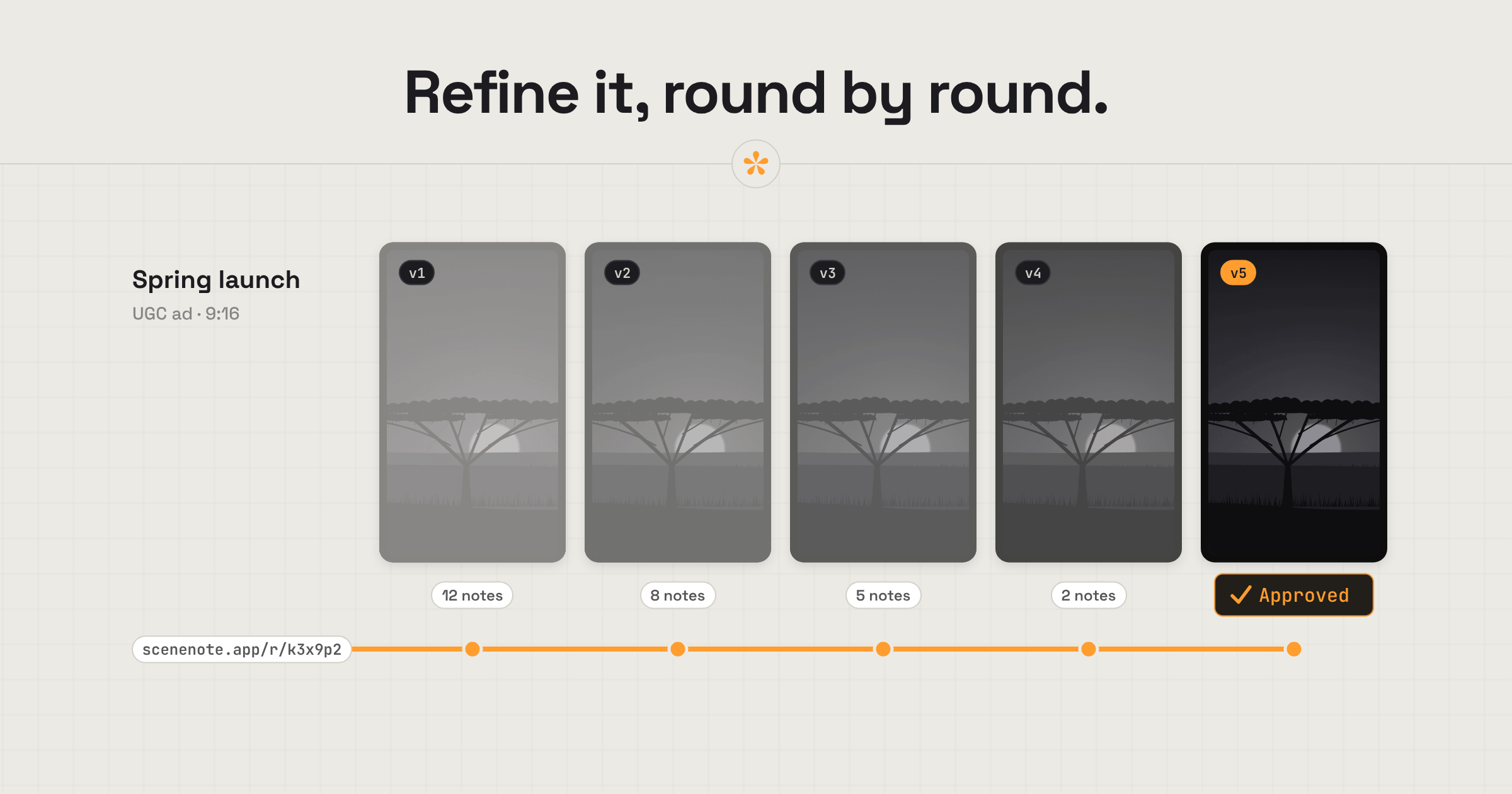
Creative and UGC agencies often manage several deliverables, with feedback coming from clients, creators and multiple stakeholders. SceneNote keeps each deliverable in its own review project, where everyone can leave notes on exact frames. Conflicting ideas can be settled through replies or polls, while each revised cut stays under the same link until it is approved.
The short version
- Make one project per deliverable: each creator video, each cutdown.
- Add the cut and a pre-watch note saying what this round is for.
- Send one review link to the client team.
- The client leaves notes on the exact frame, and settles choices with polls.
- The creator or editor works through the notes in the review room.
- Add the new cut with + version on the same link.
- The client approves, and the approval is recorded with their name and the date.
ON THIS PAGE · 8 SECTIONS
What kinds of UGC need client review?
Most UGC that goes through an agency is short video, but not all of it. SceneNote reviews video, audio and images.
- Short-form vertical video, usually 10 to 60 seconds, for YouTube Shorts, Instagram Reels and TikTok. This is where most of the review rounds happen.
- Long-form videos: product reviews, tutorials and vlog-style videos.
- Photos: product shots, lifestyle stills and thumbnails, reviewed in an image set.
- Written content, like captions and scripts. To be honest, SceneNote isn't built for reviewing text, so a document tool is the better fit for those.
Where does agency video feedback go wrong?
Agency video feedback usually goes wrong because of how many people are involved, on both sides, and how far apart they are.
The link gets passed around
A client forwards the cut to their boss, their boss forwards it to legal, and suddenly people you've never briefed are leaving notes. Everyone who comments on a SceneNote review link adds their name, so you always know who said what. On Pro you can also add a password, send view-only links to people who should watch but not comment, set a feedback deadline, see who has viewed, and put your agency's branding on the review room.
Many stakeholders, conflicting notes
The brand manager wants the logo bigger, the creative lead wants it smaller. On one review link everyone sees everyone's notes, so conflicts show up straight away rather than in two separate emails. Reply under the notes to settle it, or put the options in a poll.
Too many ideas
A brainstorm can easily leave you with 15 ideas for one ad. A poll narrows them down to what's actually doable on the time and budget, and gives everyone a vote.
Approvals get lost in email
“Looks good” in a reply-all isn't much of a record. In SceneNote the client presses Approve on the version, and their name and the date are recorded on it, one line per person.
Creators and clients are in different places
Creators, editors and clients often work remotely, in different time zones. A review room lets everyone collaborate without having to set up meetings.
Short-form goes through a lot of rounds
UGC, and short-form especially, tends to go through more rounds than other video, because there's a lot of testing. The hook, the on-screen text, the call to action and the pacing can all change from one version to the next. And because so much of it is selling a product or service, it invites plenty of feedback: getting short-form right is detailed, nuanced work. So you need a review space built around versions, where you can see what improved and what got worse from one round to the next (see refining the hook, below).
What does a typical campaign review look like?
A typical campaign review in SceneNote has two sides: the agency, which runs the project and talks to the client, and the creator or editor, who makes the changes. Each step says whose it is.
- Agency: make one project per deliverable. Each creator video and each platform cutdown gets its own project and review link.
- Agency: add the cut and a pre-watch note. Say what this round is for: “We're testing the hook. Please focus on the first three seconds.”
- Agency: send the review link to the client team.
- Client: leave notes on the exact frame. Timestamped notes, drawings on the frame and votes in polls.
- Agency: agree the final notes. Settle conflicts in replies or a poll, so the creator gets one clear set.
- Creator or editor: work through the notes on the same review link, resolving each one as it's done.
- Agency: add the new cut with + version. Older versions go read-only automatically, so every new note lands on the latest cut.
- Client: approve. Their name and the date are recorded on that version.
- Agency: close the round. Once a version is approved, turn comments off on the project so everyone can see the round is done.
How do versions help refine a UGC hook?
Versions let an agency refine a hook, on-screen text or a call to action round after round, without losing what was said about the earlier attempts. That matters most for ads for products and services, where small changes in the first few seconds make a real difference.
- v1, v2, v3 on the same link. The client always opens the latest, and each version keeps its own notes.
- One change per round. Tell the client in the pre-watch note what changed: “New hook, same middle and end.”
- A record of what was tried. Anyone can look back at an earlier version and its notes to see why a hook was dropped.
How do you review stills, thumbnails and key art?
Agencies review stills, thumbnails and key art in an image set, the same way as video. Pin a note on the exact spot, drag an area or draw on the picture, view the images in a grid or one at a time, and add a poll when the client needs to choose one.
Which SceneNote feature fits which moment in an agency review?
Agencies use a handful of SceneNote features on almost every campaign.
| The moment | The feature | Why it fits |
|---|---|---|
| Briefing the client team | Pre-watch note | They read it before pressing play |
| A note about one moment | Timestamped note | Pinned to the exact frame |
| “Make this bit bigger” | Drawing on the frame | Shows exactly what to change |
| Fifteen ideas, one ad | Poll | Narrows it down and gives everyone a vote |
| Testing a new hook | + version | Same link, and each version keeps its own notes |
| Stills, thumbnails and key art | Image set | Notes pinned to the exact spot |
| The client signs off | Approve | A dated record, one line per person |
| Closing the round | Comments off | Everyone can still watch, but no new notes |
| The record for the client | CSV export | Every note, reply, status and approval |
Which guides help agencies most?
- How to share a video for review and sign-off
- How to manage feedback from multiple reviewers
- How to let a client choose between edit options
- How to get feedback on a vertical video
- How to win bigger clients as a video editor
FAQ
Do clients need accounts, and do we pay per reviewer?
No, and no. Reviewers type their name the first time they leave a note, with no account or app, and there's no charge for reviewers on any plan.
Can creators see each other's videos?
Not if each deliverable has its own project. A review link only opens the project it belongs to, so a creator only sees the work you send them.
Does approving a version stop new notes?
No. Approval records who signed off and when, but notes can still be added. To close a round, turn comments off on the project.
What's the simplest way for an agency to manage client video feedback?
Give each deliverable its own project, send one review link to the whole client team, agree the final notes before the creator starts, add each new cut as a version, and close the round once it's approved.
One link for every stakeholder.
Keep client feedback, revisions and approvals together, from the first cut to final sign-off.
Related guides

Kiril Dobrev
Filmmaker · part of the team behind SceneNote
Kiril Dobrev is a filmmaker with 15 years of experience and a passion for documentary and travel. He’s spent a lot of that time in the editing room, obsessing over how to make his workflow better, and the feedback loop has always been a big part of that. Post-production still hasn’t had a good enough answer to it. SceneNote was born from that, with one simple idea: make feedback better.
More guides by Kiril →