
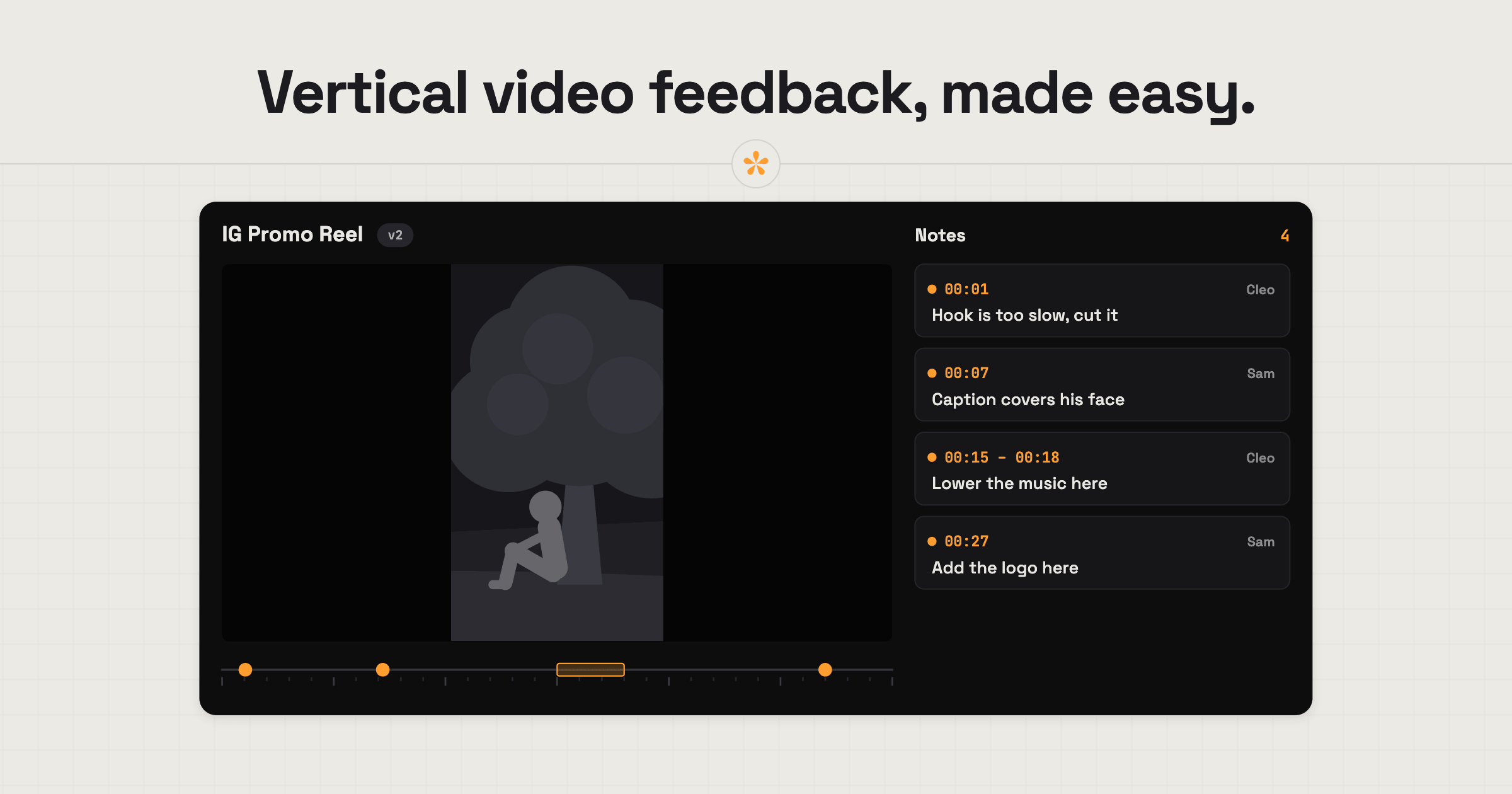
To get feedback on a vertical video, upload it to SceneNote or paste a link, then send the client the review link. They leave notes on the exact moment, on their phone the way the audience will watch it, or on a desktop. To test variations, like a different hook, add each one as a version on the same link.
The short version
- Upload the vertical cut or paste a Shorts link on scenenote.app.
- Send the client the review link.
- They leave notes on the exact moment, from a phone or a laptop.
- Add the next cut, or an alternative hook, as a new version.
- Ask for approval on the final one.
ON THIS PAGE · 5 SECTIONS
How do you set it up, step by step?
Setting up a vertical video review in SceneNote takes about a minute.
- Upload the file, or paste a link. Uploads are smoother for very short clips, since you can step frame by frame.
- Send the review link. It works in any phone browser, with no app to install.
You can also add a pre-watch note saying what you'd like checked. It's optional, and the list below makes a good one.
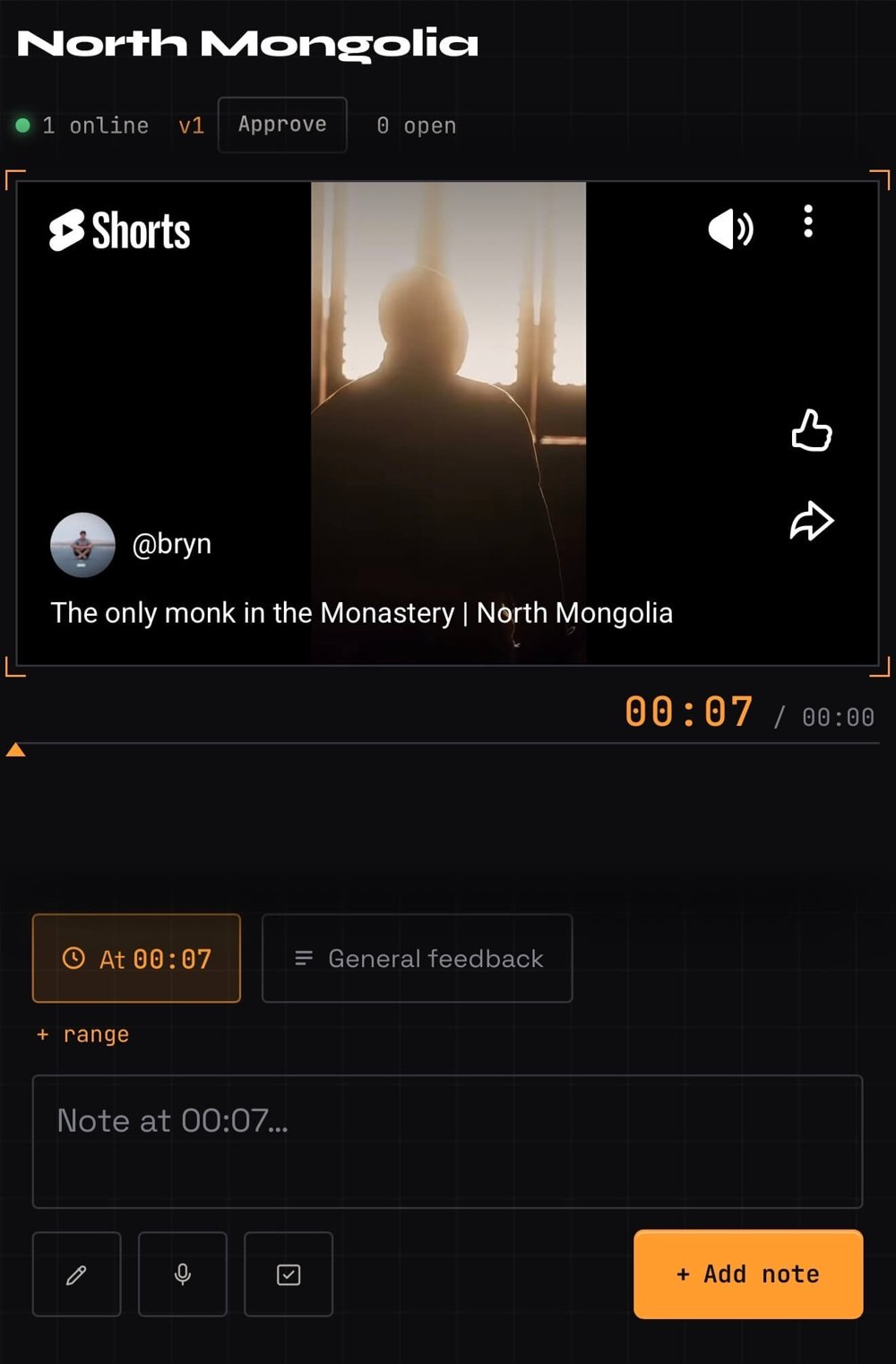
What should the client check on a vertical video?
On a vertical video, a few checks catch most problems. They make a good pre-watch note too.
- The hook. Does the first second make someone stop scrolling?
- On-screen text. Is it readable at phone size, and on screen long enough?
- Captions. Are they accurate, and timed to the speech?
- Platform buttons. Is anything important hidden behind the like, comment or caption area on the right and bottom?
- The call to action. Is it clear what the viewer should do next?
- The loop. Does the end flow back into the start if it replays?
Hi Marta, here's the first Reel: [review link]
Could you watch it on your phone and check the hook, the text and the ending? Notes by Wednesday, please.
How do you test different hooks?
To test different hooks, cut each opening as its own version of the same project, then ask the client which one works. Say you have three openings for the same Reel: a question, a bold claim, and straight into the action. Add them as v1, v2 and v3, and ask a poll on the latest: “Which hook? 1 / 2 / 3”. The client keeps one link, and the decision is on record.
How to let a client choose between edit options covers polls in more detail.
How to handle common problems
The client reviews on a laptop
If the client watches a vertical video on a big screen, things that matter on a phone (text size, the buttons over the picture) are easy to miss. Ask them in the pre-watch note to open the link on their phone.
Several cutdowns from one master
If you're delivering a 30-second, a 15-second and a vertical cut from the same film, give each its own project, or keep them as clearly named versions. Either way, say in the pre-watch note which one this round is about.
FAQ
Do YouTube Shorts links work?
Yes. Paste a Shorts link into SceneNote like any other YouTube link. The Short needs to be Public or Unlisted, with embedding allowed.
Can I use a TikTok or Instagram link?
No. TikTok and Instagram links aren't supported. Upload the file instead, or use an unlisted YouTube Short.
How does a vertical video look in the player?
A vertical video plays upright inside the normal player frame, with space on either side. That keeps the player controls, the timeline and the note box in the same place as on any other project, on a phone or a laptop.
Can I review the thumbnail or cover image too?
Yes. Put the cover options in an image set and ask a poll. How to send images alongside a video for review covers it.
What's the best way to get feedback on a vertical video?
Upload the cut or paste a Shorts link, send the client the review link, and point them at the hook, text, captions and ending. Test different hooks as versions, and settle the choice with a poll.
Review short-form the way it'll be watched.
No sign-up needed to paste a link.
Related guides

Kiril Dobrev
Filmmaker · part of the team behind SceneNote
Kiril Dobrev is a filmmaker with 15 years of experience and a passion for documentary and travel. He’s spent a lot of that time in the editing room, obsessing over how to make his workflow better, and the feedback loop has always been a big part of that. Post-production still hasn’t had a good enough answer to it. SceneNote was born from that, with one simple idea: make feedback better.
More guides by Kiril →