
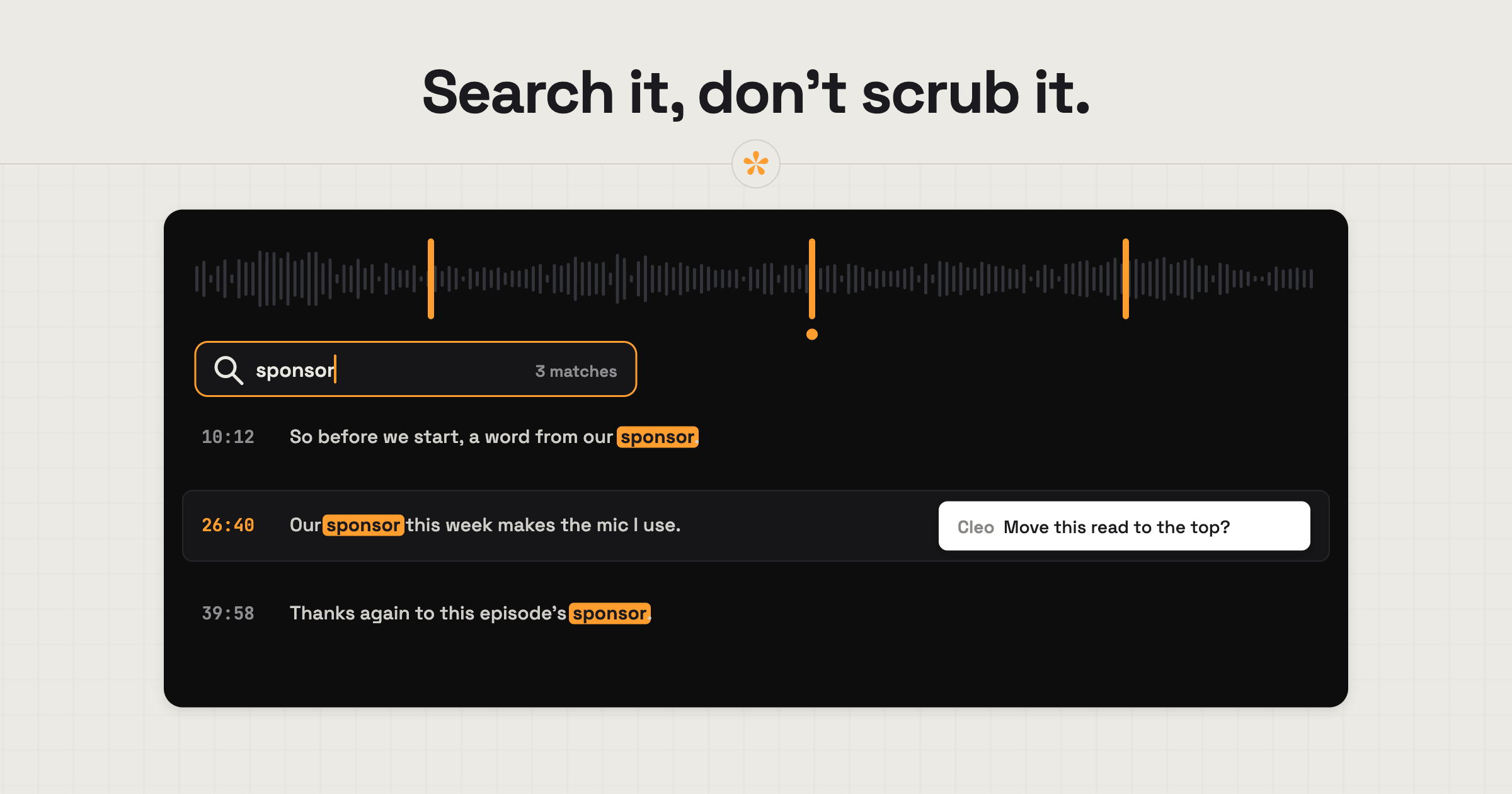
To get feedback on a podcast or audio edit, upload the episode or share an .mp3 link, then send the review link. SceneNote handles audio and video projects alike, so video podcasts work too. Reviewers leave notes at the exact second, and on uploads a searchable transcript lets them find a word instead of scrubbing through long timelines.
The short version
- Paste an .mp3 link or upload the episode on scenenote.app.
- On an upload, open the Transcript tab and press Transcribe.
- Send the review link to the host, guest or producer.
- They leave notes on the exact second, or range notes for sections to cut.
- Work through the list, resolving notes as you go.
- Export the notes as markers for your audio editor.
- Add the next edit as v2 on the same link.
ON THIS PAGE · 9 SECTIONS
Why is audio feedback harder than video feedback?
Audio feedback is harder because there's nothing to look at. With video, a client can point to something visual, like “the shot of the harbour”. With a 70-minute episode, it's “somewhere in the middle, when they talk about funding”, and you're scrubbing for ten minutes to find it. Episodes are long too, so notes pile up fast.
Who uses audio review, and for what?
Audio review in SceneNote comes up whenever someone needs to comment on sound rather than picture:
- A host and guest reviewing a podcast edit before it goes out.
- Mix notes on a song or a film's sound mix.
- Voiceover takes, picking the best read of each line.
- Sound design passes for a film or a game.
- Interview selects for a documentary, before anything is cut to picture.
Video podcasts work too: upload the video version, and reviewers get the picture, the waveform and the transcript in one place.
How do you set it up, step by step?
Setting up an audio review in SceneNote takes a minute, plus a few minutes for the transcript on a long episode.
- Paste a link or upload the file on scenenote.app. A direct .mp3 link works; upload when you want a transcript.
- Transcribe it (uploads only). Open the Transcript tab and press Transcribe.
- Send the review link. Reviewers don't need an account.
You can also add a pre-watch note on what you need, like “Anything you'd like cut, and any names I've got wrong.” It's optional.
How does a transcript make audio review faster?
A transcript turns a long recording into something you can search and read, which makes audio review much quicker.
- Search for a word or a name and jump straight to every mention.
- Click a line to jump the player to that moment.
- Select words in the transcript to turn them into a note.
- Download it as SRT or VTT for captions, or as text for show notes and quotes.
Reviewers can use the transcript too, so a guest can search for the moment they mentioned something. Transcription works on uploads. The free plan includes 60 minutes a month; Pro includes 25 hours. How to transcribe a video or podcast covers it in detail.
How do you handle lots of notes on a long episode?
Long episodes mean long lists, so it helps to keep the list moving as you go.
- Resolve each note as you finish it, so everyone sees what's done.
- Use range notes for sections to cut, so the start and end are both clear.
- Reply under a note rather than starting a new thread on the same point.
- Ask a poll when host and guest disagree about a section.
- Let the alerts batch up. On a busy project, SceneNote sends a summary rather than an email per note.
On Pro, My board lets you sort notes into custom columns, like Edits, Sound and Names, and work through each one.
How do you get the notes into your audio editor?
Export the notes from SceneNote as markers, then import them into your audio editor, so every note sits at the right moment on your timeline.
- Audacity: import the file with File, then Import, then Labels. Each note appears as a label.
- Reaper: import the file as markers through the Region/Marker Manager.
How to get client notes into your editor has the full steps, including Premiere Pro and DaVinci Resolve for video podcasts.
What does this look like on a real project?

Once a podcast has been edited down to a working version, we like to send it to the guest to sign off. It's good practice: sometimes a guest isn't happy with something they've said and wants it taken out. Giving the guest the final say on their own words has been great.
Some podcasts also have sponsored segments, and brands usually want to sign off on their ad reads. We can send them the full episode, or just the snippet with their segment.
Because podcasts are long, the timestamps make a real difference. Guests leave notes on exactly what they said, and if they remember mentioning something, they search the transcript for a keyword and jump straight to it. The feedback lands right where it belongs, which makes the changes much quicker for us in the edit.
How to handle common problems
Notes say “somewhere near the end”
If a reviewer sends vague notes by message, ask them to leave notes directly on the review link instead, so that the note lands on the exact point. If they still can't place it, search the transcript for a word they remember.
A two-hour episode
If the episode is very long, ask reviewers to focus on one thing per pass: cuts first, then a second pass to double-check facts and anything else they want to look at. Range notes and the transcript do most of the heavy lifting.
FAQ
Which audio files work?
A direct .mp3 link works, and you can upload MP3, WAV, AAC, FLAC, OGG or M4A files.
Can reviewers leave voice notes on audio?
Yes. Reviewers can record a voice note of up to 60 seconds, which is transcribed, on audio projects just like on video.
Can I transcribe from an .mp3 link?
No. Transcription only works on uploads. Upload the file to get a transcript.
Does the reviewer need an account?
No. Reviewers type a name the first time they leave a note. No account, no app.
What's the easiest way to get feedback on a podcast edit?
Upload the episode to SceneNote, transcribe it and send the review link. Reviewers leave notes on the exact second or mark sections to cut, and you export them as markers for your audio editor.
Podcast feedback made easy!
Collect precise feedback on your podcast or audio edit, all in one place.
Related guides
Kiril Dobrev
Filmmaker · part of the team behind SceneNote
Kiril Dobrev is a filmmaker with 15 years of experience and a passion for documentary and travel. He’s spent a lot of that time in the editing room, obsessing over how to make his workflow better, and the feedback loop has always been a big part of that. Post-production still hasn’t had a good enough answer to it. SceneNote was born from that, with one simple idea: make feedback better.
More guides by Kiril →