
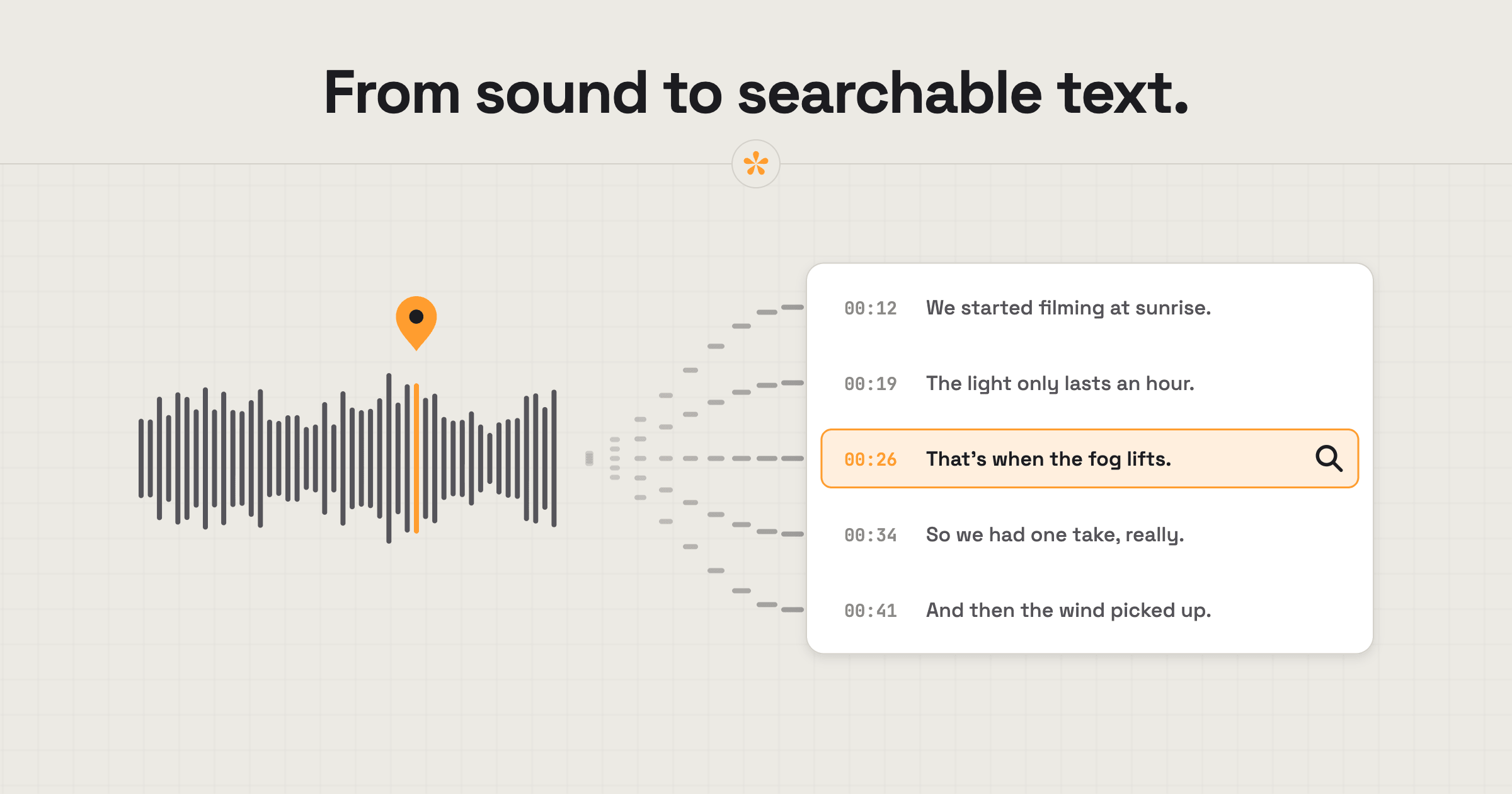
To transcribe a video or podcast, upload it to SceneNote, open the Transcript tab and press Transcribe. Every line is timed and searchable, and you can turn any line into a note. If it's in another language, switch on 'Auto translate to English' and the translation appears beside the original.
The short version
- Upload the video or audio on scenenote.app.
- Open the Transcript tab (next to Notes)
- Press Transcribe.
- For another language, switch on Auto translate to English.
- Fix any names, then search, jump or select words to make notes.
- Download it as SRT, VTT, text or CSV if you need it elsewhere.
ON THIS PAGE · 7 SECTIONS
What is a transcript for?
A transcript turns speech into something you can search, read and quote, which saves a lot of scrubbing. On a review project it's useful for:
- Finding every mention of a word, like a brand name that needs a logo on screen.
- Jumping straight to a moment by clicking a line.
- Turning a line into a note by selecting the words.
- Captions, downloaded as SRT or VTT for a social cutdown.
- Show notes and quotes for a podcast or a press release.
Search across your projects finds words in transcripts too, so you can track down the interview where someone said a particular thing.
How do you make a transcript, step by step?
Making a transcript in SceneNote takes a click, plus a few minutes of processing for a long file.
- Upload the file on scenenote.app. Transcription works on uploads, not on YouTube, Vimeo, Drive or Dropbox links.
- Open the Transcript tab (next to the notes)
- Press Transcribe. The transcript appears line by line, each with its timestamp.
- Click any line to jump the player there, or select words to start a note.
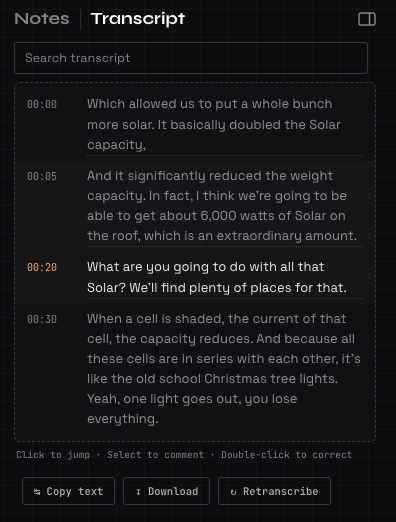
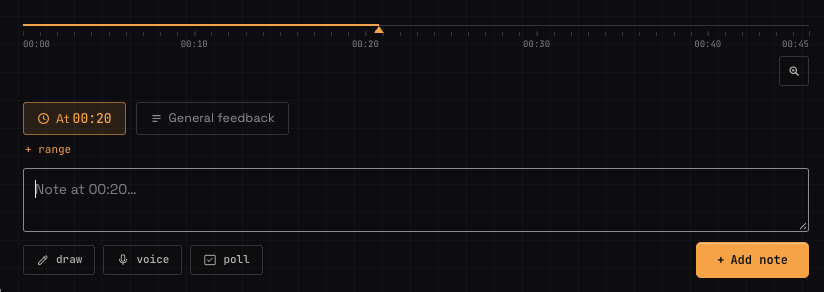
The free plan includes 60 minutes of transcription a month. Pro includes 25 hours.
What if it's in another language?
If the video or audio is in another language, SceneNote can also translate the transcript to English, if you want it to.
- Transcribe as usual. The transcript comes out in the original language.
- Switch on Auto translate to English.
- Read both side by side. The English sits beside the original, line by line, with the same timings.
Say you're cutting a documentary with an interview in Spanish. You can search the English for the topic you need, then check the original line before you use it. Translation uses its own minutes, separate from transcription.
How do you fix names and words in a transcript?
To fix a name or a word, double-click it in the transcript and type the correction. SceneNote learns from your corrections, so a name you fix is spelled right the next time it comes up.
It's worth fixing names before you download captions or share the transcript, since people's names and brand names are the usual mistakes.
What does this look like on a real project?

For anything with a lot of dialogue, being able to search what's been said makes the world of difference, compared with watching it all back. On our podcast edits, guests search the transcript for something they remember saying, jump straight to it and leave their note right there.
Clients really appreciate it on video work too. Often they just want to double-check one specific thing, but don't know exactly where it was said. Now they type a word and they're there.
How to handle common problems
The Transcribe button isn't there
If there's no Transcribe option, the project is probably made from a link. Transcription only works on uploads, so upload the file and add it as a new version.
Names keep coming out wrong
If a speaker's name or a brand keeps being misheard, correct it once in the transcript. SceneNote picks up the correction for the rest.
Music or long silences
If a section is mostly music or silence, the transcript will be sparse there, and that's expected. Lyrics over loud music may not transcribe cleanly.
FAQ
Can I transcribe a YouTube or Vimeo link?
No. Transcription only works on uploaded files. Upload the video to SceneNote to get a transcript.
Which formats can I download?
You can download the transcript as SRT or VTT for captions, as plain text, or as CSV for a spreadsheet.
Can reviewers see the transcript?
Yes. Reviewers can read and search the transcript on the review link, which helps when they're looking for the moment someone mentioned something.
Which languages can be translated?
Auto translate turns the transcript into English from close to 100 languages, from Spanish and French to Japanese and Swahili. Accuracy is best for widely spoken languages, so give a translation a quick check before you rely on it.
How do you transcribe a video or podcast?
Upload the file to SceneNote, open the Transcript tab and press Transcribe. Switch on Auto translate to English for another language, fix any names, and download captions or text when you need them.
Transcribe, search and quote.
60 free minutes of transcription a month.
Related guides
Kiril Dobrev
Filmmaker · part of the team behind SceneNote
Kiril Dobrev is a filmmaker with 15 years of experience and a passion for documentary and travel. He’s spent a lot of that time in the editing room, obsessing over how to make his workflow better, and the feedback loop has always been a big part of that. Post-production still hasn’t had a good enough answer to it. SceneNote was born from that, with one simple idea: make feedback better.
More guides by Kiril →