
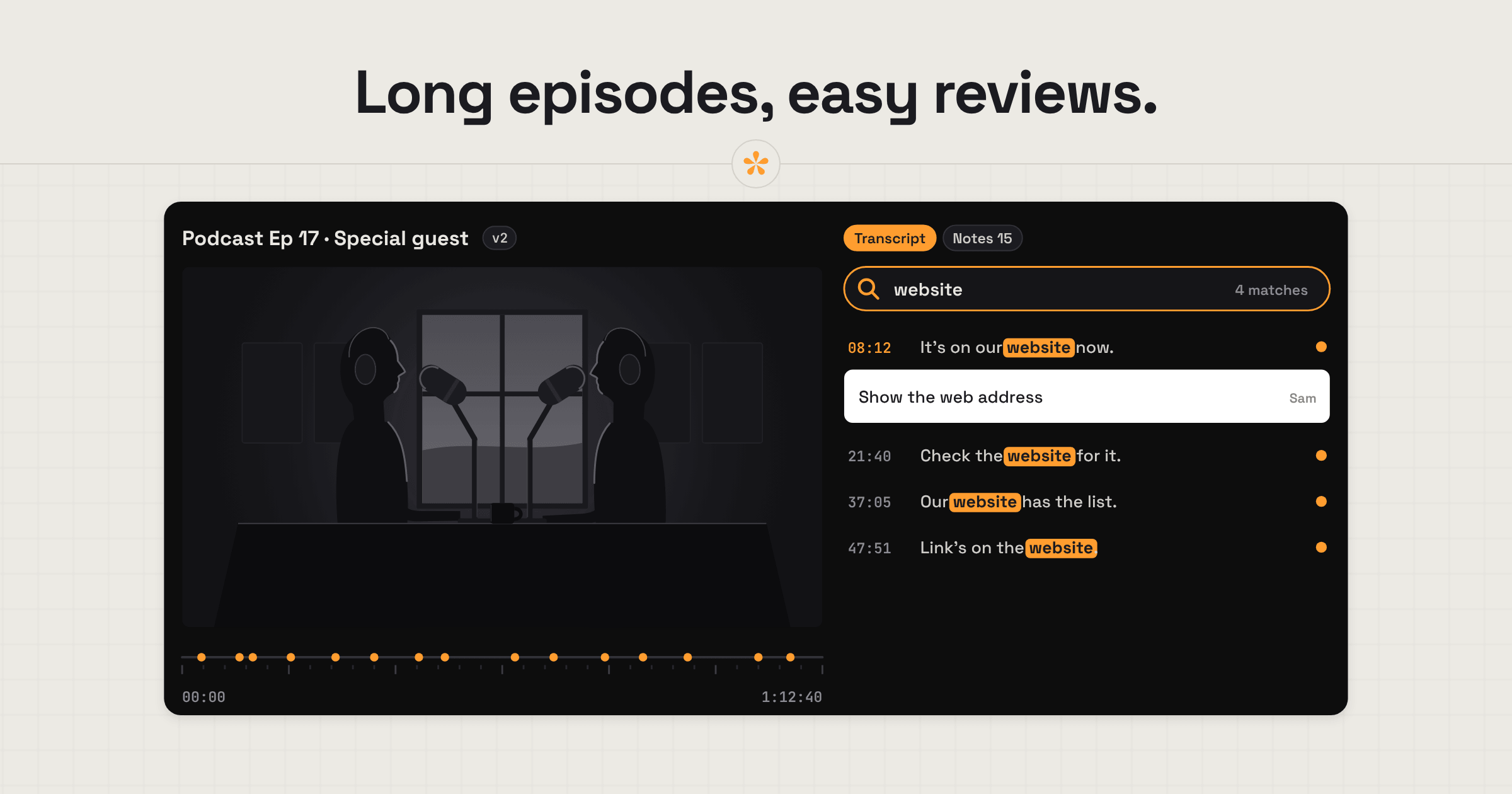
Podcast edits are often long, with feedback coming from hosts, producers, guests and sponsors. SceneNote brings everyone onto one review link for audio or video episodes, where they can leave notes at the exact moment without an account. For uploaded episodes, you can generate a searchable transcript to find specific words or sections, while revised cuts and approvals stay together under the same link.
The short version
- Upload the episode, video or audio, to a new project.
- Open the Transcript tab and press Transcribe, so every word is searchable.
- Send the review link to the host, producer or anyone else who needs to hear it.
- They leave notes on the exact moment, and range notes on segments to cut.
- Work through the notes in the review room, and add the next cut as a new version.
- Get approval from the people who need to sign off: the team, the guest, the sponsor.
ON THIS PAGE · 9 SECTIONS
What kind of feedback does a video or audio podcast need?
Podcast feedback depends on whether the show is filmed. In our experience there are now far more video podcasts than audio-only ones, and a video podcast needs notes on the picture as well as on what's said.
| Video podcast | Audio-only podcast | |
|---|---|---|
| What people comment on | Framing, camera switches, graphics and logos, the picture and the sound | What's said, pacing and levels |
| Typical notes | “Cut to the wide here”, “add their logo when he mentions the app” | “Cut this tangent”, “her mic is quieter than his” |
| Where the notes go | Markers in Premiere Pro or DaVinci Resolve | Labels in Audacity or Reaper |
Where does podcast feedback go wrong?
Podcast feedback mostly goes wrong because episodes are long and the notes describe moments in words rather than pointing at them.
Long episodes mean a lot of notes
An hour-long episode reviewed by a host, a producer and a guest can easily pile up notes, and some of them need a reply before you can act. That tends to get messy and disorganised pretty quickly. On a SceneNote review link, every note sits in one list on the moment it's about. Reply under a note when it needs clarifying, and resolve it once it's done, so nothing gets lost between the team and you.
“The bit where he talks about funding”
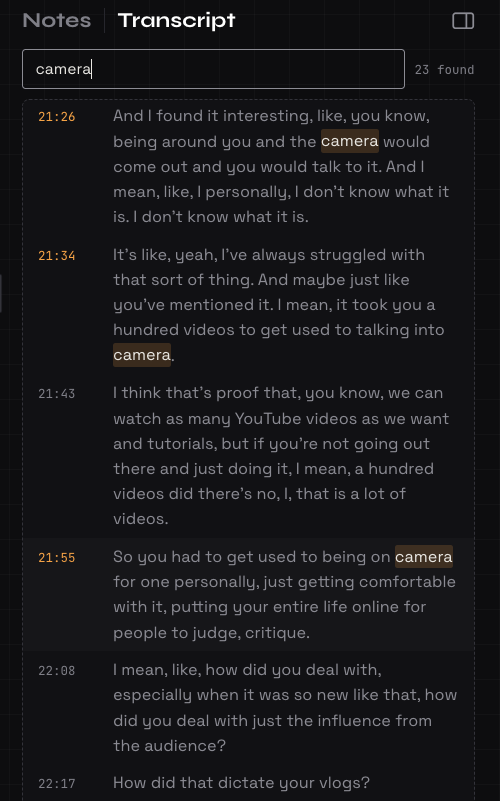
Notes like that send you scrubbing through 50 minutes. On an uploaded episode, search the transcript for “funding” and jump straight to every mention.
A logo at every brand mention
A producer wants a logo on screen every time a brand comes up. Rather than watching the whole episode, search the transcript for the brand's name and drop a note at each mention.
Timestamps typed into an email
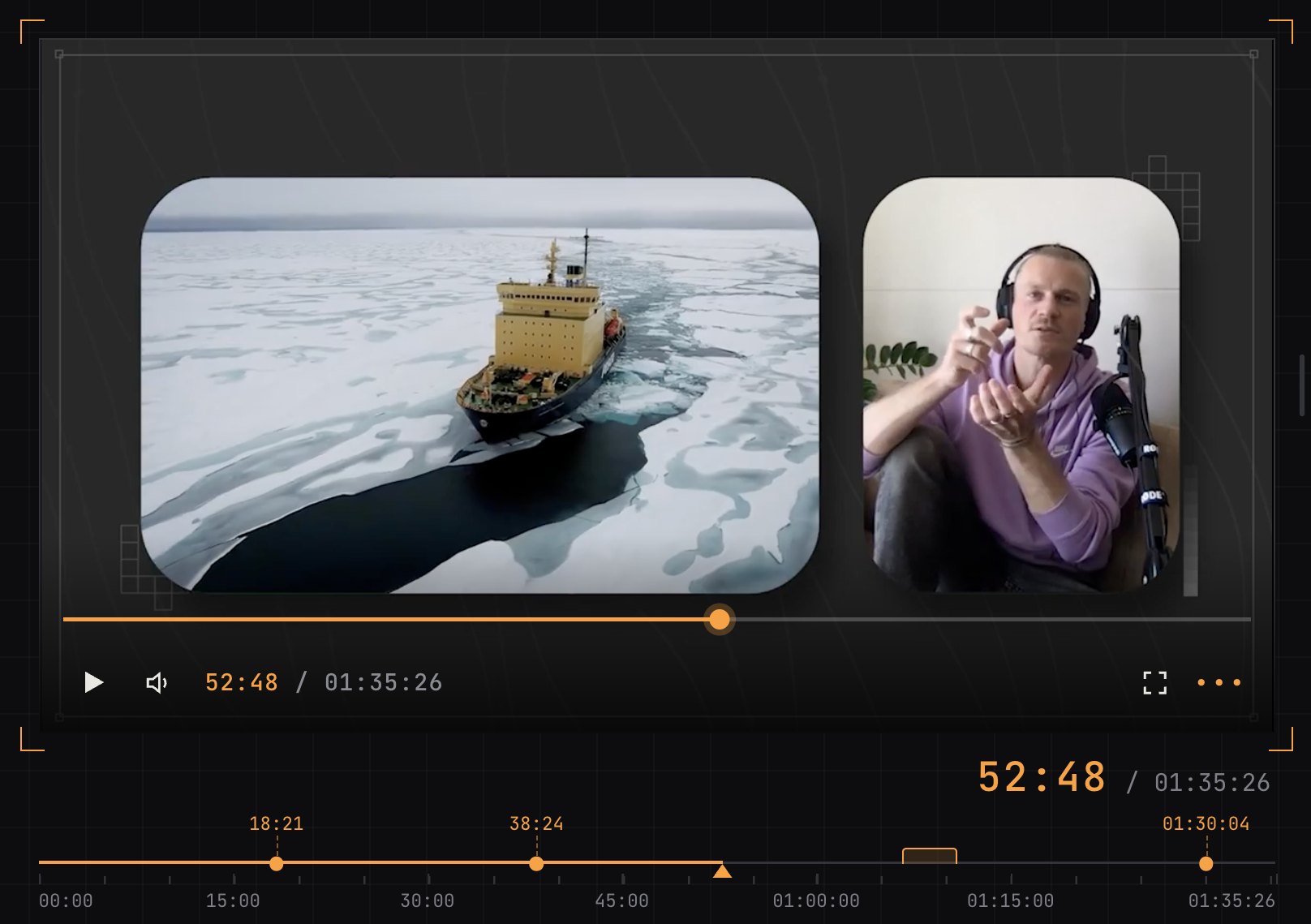
Without a review link, a host listens through, writes down times as they go and emails you a list: “23:10 cut this, 31:45 her mic is too quiet, somewhere around 40 minutes the bit about funding”. That's slow for them, and you still have to find each moment and work out what they meant. On a review link they just pause and type: the note box stops the episode, stamps the time, and the note sits on that moment, ready for you to click.
A guest asks for cuts after release
It's much easier to agree changes before an episode goes out, and getting the guest's go-ahead is good practice anyway. It's often agreed early on, but if the guest asks to see the cut, send it to them for approval before release (see who needs to approve, below).
Why do transcripts change podcast editing?
Transcripts let you treat a long episode like a document: you can search it, quote it and jump to any line. SceneNote has transcription built in. Press Transcribe on an uploaded episode, and the whole conversation becomes text, broken into timed lines you can click.
- Search for a word and jump to it. Every mention of a name, a brand or a topic, in seconds.
- Turn a line into a note. Select words in the transcript and they become a note at that moment.
- Captions and show notes. Download the transcript as SRT or VTT captions, plain text or CSV.
- Other languages. Transcription works in about 100 languages, and Auto translate turns a guest's answers into English.
- Fix a word. Double-click a word in the transcript to correct it.
How to transcribe a video or podcast goes through it step by step. Long-running shows will want Pro, which raises transcription from 60 minutes to 25 hours a month.
What does a typical episode review look like?
A typical podcast episode review in SceneNote runs from one upload to an approved cut.
- Upload the episode. Video or audio. You can also paste a link, but the transcript needs an upload.
- Run the transcript if you want one. Open the Transcript tab and press Transcribe, then send the link while it runs.
- Notes as they go. Reviewers watch or listen and leave notes at the exact moment as they go, or search the transcript for a word and leave a note right on that line.
- Range notes for segments to cut. “Cut from here to here” covers a start and an end, so there's no doubt about where a tangent begins.
- Work through the notes in the review room, replying where something needs clarifying.
- Add the next cut as a new version on the same link. Each version keeps its own notes.
- Approval. The people who need to sign off press Approve, and their names and the date are recorded.
- Notes into your editor, if you want them. Markers for Premiere Pro or DaVinci Resolve on a video podcast, labels for Audacity or Reaper on an audio one.
Who needs to approve a podcast episode?
A podcast episode often needs more than one sign-off, and each person needs something slightly different.
- The team. Host and producer review the full cut on the normal review link.
- The guest. Send them the normal review link with a pre-watch note saying you only need their approval, and that they're welcome to flag anything they'd like changed. Don't turn comments off or send a view-only link here: both hide the Approve button.
- The sponsor. Add a pre-watch note with the timecode of their read, and leave a range note on the segment, so they can go straight to it and approve it.
What does this look like on a real project?

A lot of the tools we built into SceneNote came from personal experience of running a podcast show (Visual Tone | Creator Insights Podcast). Editing could have been streamlined if we had the ability to just search a transcript for a particular word. We also featured many content creators who we always liked to send cuts to be reviewed before airing. These and many other findings helped shape the tool we built.
Which SceneNote feature fits which moment in a podcast edit?
Podcasters lean on transcription and timestamped notes more than anything else.
| The moment | The feature | Why it fits |
|---|---|---|
| Finding every mention of a word | Transcript search | Jump straight to each one |
| A note about one moment | Timestamped note | Pinned to the exact second |
| A segment to cut | Range note | Covers a start and an end |
| Easier to say than type | Voice note | Up to 60 seconds, transcribed automatically |
| Quoting what was said | Select words in the transcript | The words become a note at that moment |
| Two possible intros or titles | Poll | The team picks, and the choice is on record |
| The next cut is ready | + version | Same link, and each version keeps its own notes |
| Guest or sponsor sign-off | Approve | A dated record of who approved |
| Captions and show notes | Transcript download | SRT, VTT, text or CSV |
| Notes in your editor | Markers or DAW labels | Premiere Pro, DaVinci Resolve, Audacity or Reaper |
Which guides help podcasters most?
- How to get feedback on a podcast or audio edit
- How to transcribe a video or podcast
- How to get client notes into your editing software
FAQ
Do guests and sponsors need an account to review?
No. They type their name the first time they leave a note or approve. There's no account, invite or app, on any plan.
Does SceneNote work for audio-only podcasts?
Yes. Upload an MP3, WAV, AAC, FLAC, OGG or M4A file, or paste a direct link to an MP3. Notes sit on the waveform at the exact second, and the pre-watch note becomes a pre-listen note.
Can I get podcast notes into Audacity or Reaper?
Yes, on audio projects. Export the notes as labels, and each one lands as a point label at its start time, with general notes at 0:00. On a video podcast, export markers for Premiere Pro or DaVinci Resolve instead.
Can SceneNote transcribe a guest who speaks another language?
Yes. Transcription works in about 100 languages on uploaded audio and video, and Auto translate turns the transcript into English.
What's the simplest way to get feedback on a podcast edit?
Upload the episode and run the transcript, send one review link to everyone who needs to hear it, work through their notes in one place, add each new cut as a version, and get the guest and sponsor to approve before it goes out.
One review link for the whole episode.
Bring hosts, guests and sponsors together, with notes on exact moments and searchable transcripts.
Related guides
Kiril Dobrev
Filmmaker · part of the team behind SceneNote
Kiril Dobrev is a filmmaker with 15 years of experience and a passion for documentary and travel. He’s spent a lot of that time in the editing room, obsessing over how to make his workflow better, and the feedback loop has always been a big part of that. Post-production still hasn’t had a good enough answer to it. SceneNote was born from that, with one simple idea: make feedback better.
More guides by Kiril →