

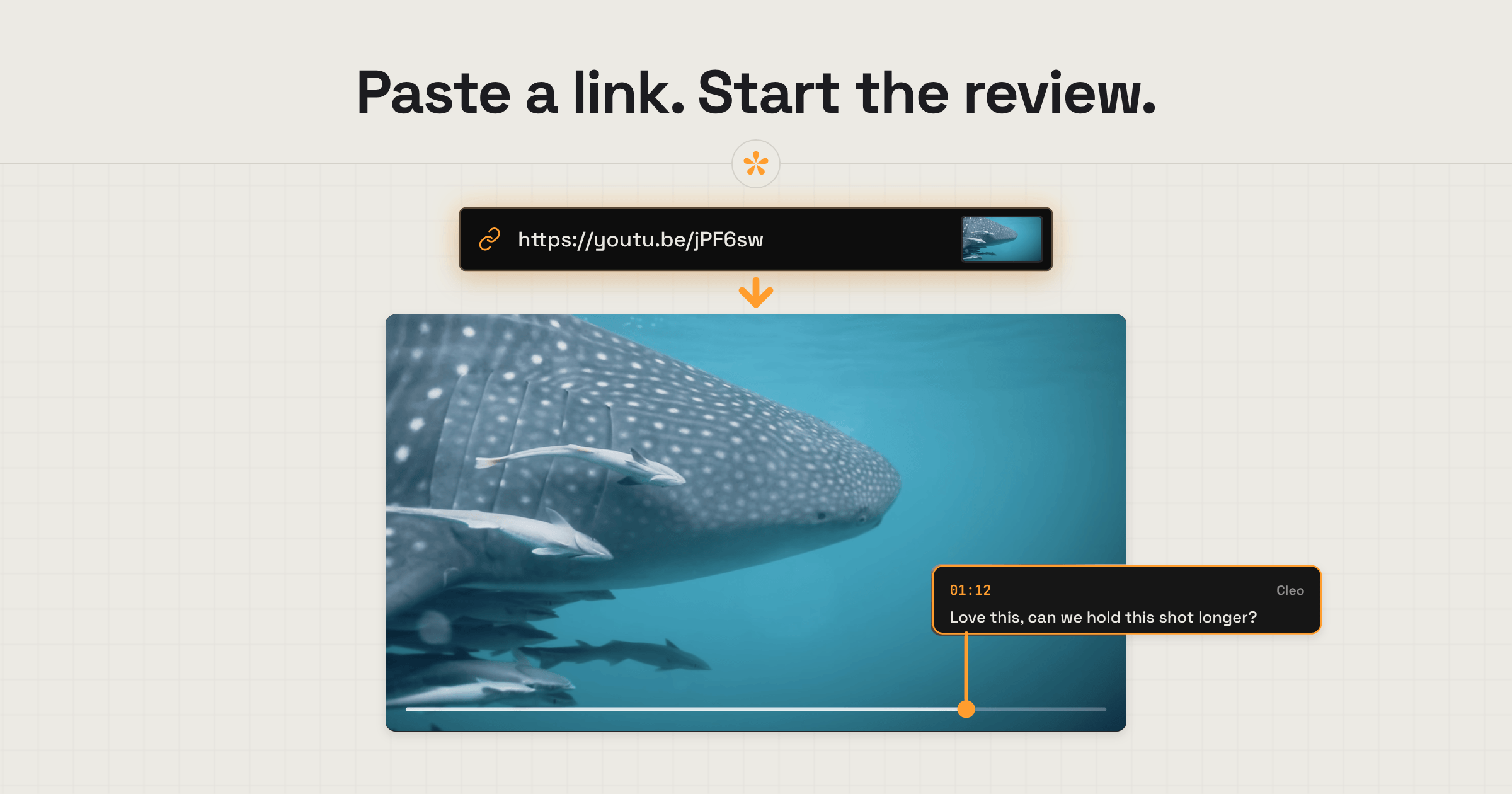
Yes. In SceneNote, you can paste a link to a cut that’s already online or upload the file directly. You can start with a link and upload the next version without sending your client a new review link. Either way, they can leave timestamped notes without an account. Alternatively, choose Frame.io if your team needs to store and manage terabytes of footage in one shared workspace.
The short version
- Frame.io only reviews files you upload to it. It doesn’t take a YouTube or Vimeo link.
- SceneNote takes both: a link to YouTube, Vimeo, Google Drive, Dropbox or a direct file, or an upload.
- Start with a link and upload the next version into the same project. The client keeps the same review link.
- Linked videos don’t count towards your SceneNote storage.
- Reviewers type a name and leave timestamped notes. No account.
- Choose Frame.io if your team needs to store and manage terabytes of footage in one shared workspace.
ON THIS PAGE · 9 SECTIONS
Is there a Frame.io alternative that works with links?
Yes. SceneNote lets you paste a link to a cut that’s already online, or upload the file directly. You can start with a link and upload the next cut into the same project, without sending your client a new review link. Either way, they leave timestamped notes without an account.
Frame.io works from uploads only: you upload the file to Frame.io, then share it from there. I’d lean towards it on productions where the whole team works from a shared library that runs into terabytes.
I co-founded SceneNote with Bryn North. We built it for our own film projects because we wanted an easier way to share cuts and work through feedback together.
I tested how Krock.io and Reviewd handle video links in October 2026, then tried Google Drive’s video comments in November. For Frame.io, I checked its help centre and pricing page. Last checked 13 November 2026.
If the cut’s already online, I’d start with the link you have. Here’s when it’s worth uploading instead.
Link or upload: which should you use?
Both, depending on the situation. A link is quickest when the video is already online. An upload is better when you want SceneNote to host the file, or need what only a hosted file can do.
| Paste a link | Upload the file | |
|---|---|---|
| Wait before you can share | None | Upload and processing time |
| Where the video lives | Where it already is: YouTube, Vimeo, Drive, Dropbox or your own server | Hosted by SceneNote |
| Storage | Doesn’t count towards your SceneNote storage, so link projects are unlimited | Counts towards your plan: 5 GB free, 100 GB on Pro |
| Stepping frame by frame | Depends on the host’s player (YouTube and Vimeo aren’t frame-exact) | Frame-exact |
| Download the original file (Pro) | No | Yes |
| Transcript | No | Yes |
| Compare two versions side by side (Pro) | No | Yes |
| Timestamped notes, drawing, voice notes, polls, versions, approval, markers | Yes | Yes |
You don’t have to pick one for the whole job. Each time you add a new cut, you can paste a link or upload the file. Your client keeps using the same review link either way. More in Should you upload a video for review or share a link?
Why start from a link?
Because the cut is often online already. You exported it into a Dropbox or Drive folder for the client, or put it on YouTube as unlisted. Uploading it again to a review tool is one more wait.
- No upload wait. A 10 GB export can take a while to upload. A link takes a second to paste.
- Linked videos don’t count towards your SceneNote storage. Keep your storage for the cuts you want SceneNote to host.
- The file stays where it lives. Your client’s Drive, your Dropbox delivery folder or your channel.
- Room to change your mind. Start with a link to get feedback on the rough cut. Upload a later version when you need more review tools, or want your client to download the original export for delivery. Either way, they keep using the same review link.
What to look for in a review tool that takes links
“Works with links” can mean very different things. These are the checks that separated the tools I tried.
- Which links does it accept? Some take Google Drive only, or YouTube only. Check the ones you actually use.
- Is there more than a timestamped comment? Drawing on the frame, voice notes, range notes, polls and a recorded approval are what turn comments into a review.
- Can every cut live on one link? Versions let you add each new cut to the same project, with each version’s notes kept separately, so your client never reviews last week’s cut by mistake. In SceneNote, each version can be a link or an upload.
- Does the video actually play? Paste a real link and press play before you send it to anyone.
- Can you upload as well? A link-only tool leaves you stuck when a cut isn’t online, or when you need frame-exact notes.
- What do reviewers have to do? A name is fine. An email address or an account on every review is where clients drop off.
- How long does the project last? Some tools delete a review after a set number of days, used or not.
- Can the notes reach your edit? Markers for Premiere Pro or DaVinci Resolve save you retyping every note.
Of the few other tools that say they accept links, the ones I tested asked every reviewer for an email, deleted the review after 10 days, or gave timestamped comments and nothing else.
Can’t Google Drive do this now?
Partly. Google Drive lets you leave timestamped comments on a video, reply to them and mark them as resolved. If your client already uses Drive and all you need is a quick note or a “looks good”, that might be enough. Once you’re marking up shots, making decisions together or keeping track of feedback across several cuts, that’s where a tool built for post-production earns its keep.
But there’s one thing I need to point out about Google Drive: every reviewer had to sign in with a Google account before they could comment. I’m not a fan of this, because it adds friction to the one thing you need from it: getting feedback. In my tests, timestamped comments could also only be made on a computer (the phone app shows them as ordinary comments), and there’s no drawing on the frame, voice notes, polls, recorded approval or markers for your editing software.
A nice workaround if your client wants to keep the file in Google Drive: paste its Drive link into SceneNote, so the client gets all the benefits of a proper review room and the file never moves. How to get feedback on a Google Drive video covers the sharing setting it needs.
How do you review a video from a link, step by step?
- Make sure anyone with the link can watch the video: unlisted on YouTube, embeddable on Vimeo, “Anyone with the link” on Google Drive, a shared link on Dropbox.
- Copy the link and paste it on scenenote.app, then click Create project.
- Send your client the review link, with a short pre-watch note if it helps.
- They watch and leave timestamped notes. No account, just a name.
- Tick notes off as you go, or export them as markers for Premiere Pro or DaVinci Resolve.
- For the next round, add the new cut as v2 in the same project: paste its link, or upload the file.
When should you upload instead?
- Frame-exact notes. YouTube and Vimeo players don’t step one frame at a time, so a note lands within a frame or two. For most editing, that’s a non-issue. For a VFX shot or a tight cut point, upload the file.
- Original downloads for the handover. On Pro, your client can download the exact file you uploaded, so the approved cut and the delivery file sit on the same review link, with no separate transfer to send.
- Transcripts and side-by-side compare. Both need the file in SceneNote, and compare is part of Pro.
- Quality you control. Platforms like YouTube compress heavily, which loses a lot of detail. An upload to SceneNote is much gentler on your footage, keeping it much closer to what you see in your export.
- A file that might move. A linked video plays from its link, so if the original is deleted, moved or unshared, that version loses its video. The notes stay. An upload doesn’t depend on anyone else’s folder.
When is Frame.io the better choice?
On productions where the whole team works from a shared library that runs into terabytes. Frame.io is built to hold a team’s footage in one workspace, from 2 TB of storage on its paid plans, with Camera to Cloud and panels inside Premiere Pro and After Effects. SceneNote hosts uploads for review, with 100 GB on Pro, but it isn’t a media library and has no team workspace yet.
If the job is getting clear notes on a cut, from a link or an upload, SceneNote covers it.
How I compared them, in detail
I looked for tools that review a video from a link without uploading it, then tried a review on the ones that said they could, in October 2026, and Google Drive’s own video comments in November. For each, I checked which links played, whether you could upload as well, what a reviewer had to do before their first note, how long the review lasted and what reviewers could do beyond a timestamped comment. Frame.io’s plans, storage and sharing come from its pricing page and help centre, checked on 13 November 2026.
FAQ
Can Frame.io review a YouTube or Vimeo link?
Not that I could find. Frame.io reviews files uploaded to it, so a cut that’s already on YouTube, Vimeo, Drive or Dropbox has to be exported and uploaded again first.
Can I switch from a link to an upload in the same project?
Yes. Add the next cut as a new version and choose either to paste a link or upload the file. Earlier versions keep their notes, and your client opens the same review link as before.
Do linked videos use my storage?
No. A linked video plays from where it lives, so it doesn’t count towards your SceneNote storage. Uploads do: 5 GB on the free plan, 100 GB on Pro.
Do my reviewers need a YouTube, Google or Dropbox account?
No. They open the SceneNote review link, type their name the first time they leave a note, and that’s it. A linked video just has to be shared so anyone with the link can watch it.
Can I still export notes to Premiere Pro or DaVinci Resolve from a link project?
Yes. Markers work the same on a linked video as on an upload. How to get client notes into your editing software walks through it.
What happens if I delete or move the original video?
That version loses its video, because it plays from the link. Your notes stay. Add the new link, or upload the file, as the next version and carry on.
So, is there a Frame.io alternative that works with links?
Yes. Paste the link into SceneNote when the cut is already online, upload the file when you want it hosted or need frame-exact notes and compare, and switch between the two from one version to the next without a new review link. Your client leaves timestamped notes without an account either way. Choose Frame.io if your team needs to store and manage terabytes of footage in one shared workspace.
Try it on a cut that’s already online.
Paste the video link into SceneNote and send your client the review link. No hassle.
Related guides

Kiril Dobrev
Filmmaker · part of the team behind SceneNote
Kiril Dobrev is a filmmaker with 15 years of experience and a passion for documentary and travel. He’s spent a lot of that time in the editing room, obsessing over how to make his workflow better, and the feedback loop has always been a big part of that. Post-production still hasn’t had a good enough answer to it. SceneNote was born from that, with one simple idea: make feedback better.
More guides by Kiril →