
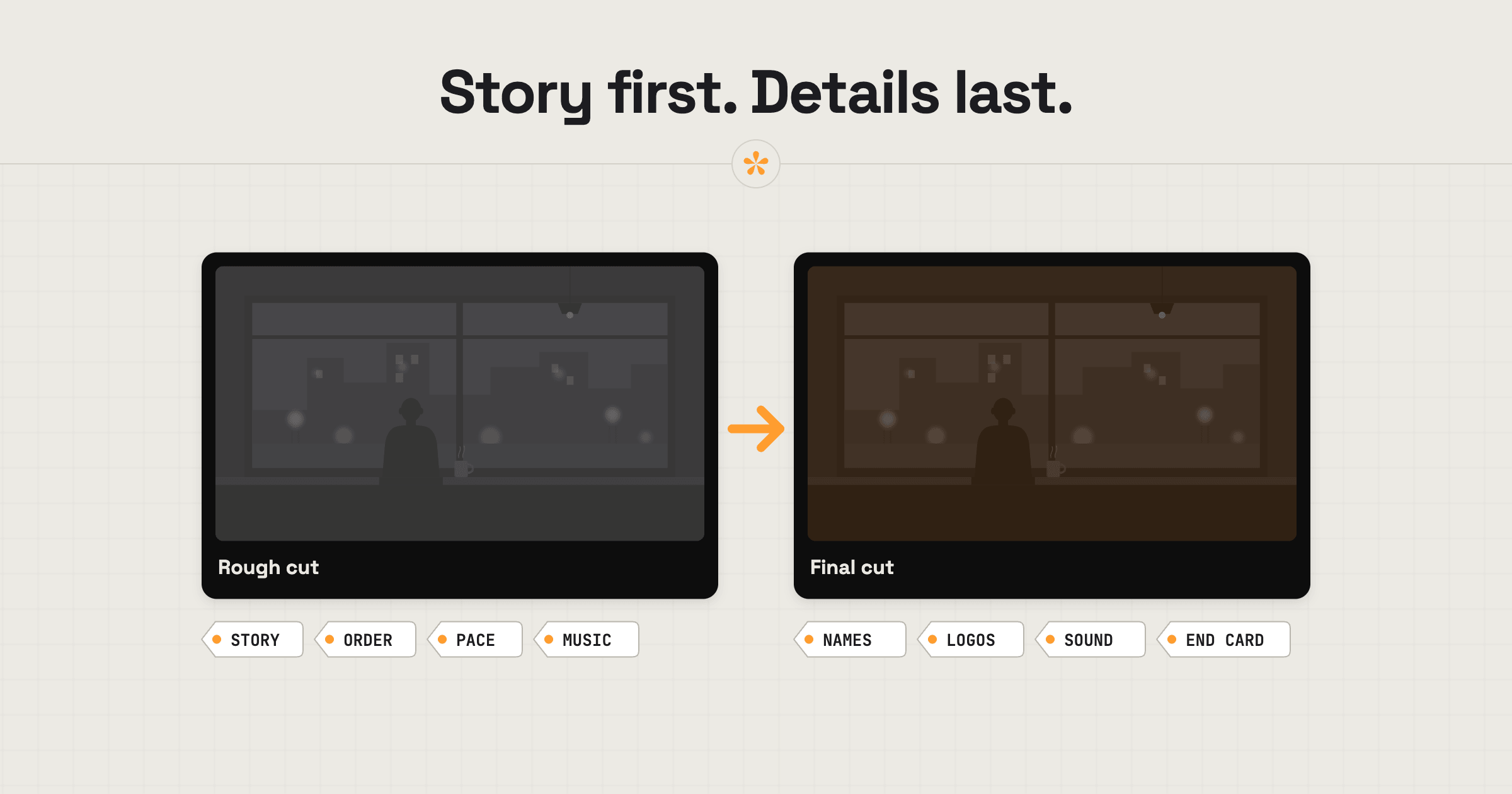
When reviewing a rough cut, focus on the bigger picture: does the story make sense, is anything missing, and does the pacing feel right? Leave finer details like colour, graphics and sound polish until they're ready for review. On a final cut, check names, spelling, logos, sound levels and colour consistency. If you're unsure what's finished, ask the editor before flagging it.
ON THIS PAGE · 7 SECTIONS
What are the stages of a video edit?
Most videos are made in passes, and every project is different: some go through fewer stages, some through more. The table below shows the typical passes an editor works through. They aren't necessarily the versions you'll be shown. For many videos those come down to two or three, while big productions with several people in post-production often break them into very specific stages. Generally, the first cut is a rough cut with no sound design and no colour grading, and both of those come towards the end. Each stage decides different things, so each one wants different notes.
| Stage | What's being decided | What to comment on | What to leave for later |
|---|---|---|---|
| Rough cut | The story, its order and the music | What's in, what's out, what's missing, whether it drags, whether the music feels right | Colour, sound design and levels, titles, small timing |
| Fine cut | Pacing and detail of the edit | Timing of shots, which takes are used, how scenes flow | Colour, final sound, final graphics |
| Picture lock | The edit is finished | Anything that would change the edit, said now or never | Colour and sound, which come next |
| Sound design and mix | How everything sounds together | Voices, music levels, sound effects, atmosphere | Changes to the edit itself |
| Colour grade | How everything looks | Skin tones, mood, whether shots match | Changes to the edit itself |
| Final | The finished video | Names, spelling, logos, legal lines, end card, captions | Nothing: this is the last check |
What should you look for in a rough cut?
In a rough cut, look at the big picture: the story, the order and what's in or out. It will look and sound unfinished, and that's normal.
- Does the story make sense, start to finish?
- Is anything important missing, or anything there that shouldn't be?
- Is it in the right order?
- Does any part drag, or feel rushed?
- Is it roughly the right length?
- Is the message clear by the end?
- Does the music feel right? Music is fundamental and dictates the cuts, so say now if it's wrong. Changing it later can mean re-cutting large parts of the video.
Try not to comment on colour, sound levels, sound effects or titles. They're usually placeholders at this stage. The music is the exception: if it doesn't feel right, say so now.
What should you look for in a fine cut?
In a fine cut, the story is settled and the editor is polishing the edit. Look at the rhythm and the details of the cut.
- Does each shot stay on screen for the right amount of time?
- Are the best takes and shots being used?
- Do scenes flow into each other smoothly?
- Are the interview answers trimmed to their strongest lines?
- Is the music in the right places, even if the mix isn't done?
- If sound design has been added, does it help? Effects and atmosphere often come in around now, ahead of the final mix.
This is the last comfortable moment for changes to the edit itself. After picture lock, edit changes cost more time, because sound and colour are built on top of it.
What should you look for in a final cut?
In a final cut, everything should be finished, so check the details someone will notice after it goes out.
- Names, job titles and spelling in every on-screen word
- Logos: the right version, size and placement
- Claims and legal lines, checked by whoever needs to check them
- Dialogue you can clearly hear, and music at the right level
- Colour that's consistent from shot to shot
- Captions or subtitles, if there are any
- The end card and call to action
The full list is in a video feedback checklist for clients.
Why does commenting on the wrong things slow a project down?
Notes on unfinished parts cost time twice: the editor has to read and answer them, and the thing you commented on was going to change anyway. Worse, a polished detail can get fixed in a rough cut and then cut out entirely.
The simplest fix is the editor's brief. On a SceneNote review link, the editor can leave a pre-watch note that shows on the player before you press play, such as “the grade isn't done yet, so it will look flat”. Read it, and if there isn't one, it's fine to ask what stage the video is at.
What does this look like on a real project?

One of the most common things is that clients don't realise colour grading comes at the end of the pipeline. There are good reasons it's usually done last, so I almost always remind my clients that the colour grading isn't done yet, or that the sound levels haven't been finalised and mixed.
What I love about SceneNote is that I can do that with the pre-watch note. It's the first thing they see, and it's a nice reminder of what to pay attention to and what to ignore. You don't want a client to spend a lot of time giving feedback on a colour grade you haven't even started. Then you have to explain how the process works, they've wasted their time, and it makes you look unprofessional.
So, especially with clients who aren't familiar with post-production, I very often give them a bit of context about where we are in the process.
FAQ
What's the difference between a rough cut and a final cut?
A rough cut is the first full assembly of the story, unpolished, for notes on structure and content. A final cut is the finished video, with sound, colour, titles and graphics done, for a last check of the details.
What is picture lock?
Picture lock is the point where the edit is finished: no more changes to the order or length of shots. Sound and colour are then finished on top of it, which is why changes after picture lock take longer.
Why does the rough cut look so flat?
Because the colour grade usually happens last. Footage straight from the camera often looks grey and washed out until it's graded. That's by design: it keeps as much picture information as possible for the grade. So don't worry about it in a rough cut.
How many rounds of changes should there be?
It depends on the project, and editors usually agree the number up front. How many revision rounds a video edit should include explains how it usually works.
What should you look for at each stage of a video edit?
In a rough cut, look at the story and the order. In a fine cut, look at timing and the choice of shots. In a final cut, check every detail: names, logos, sound, colour and the end card. Read the editor's note on what's done, and leave the rest for later.
The right feedback at the right stage.
Focus on story and pacing first. Save the finer details for the final cut.
Related guides
Kiril Dobrev
Filmmaker · part of the team behind SceneNote
Kiril Dobrev is a filmmaker with 15 years of experience and a passion for documentary and travel. He’s spent a lot of that time in the editing room, obsessing over how to make his workflow better, and the feedback loop has always been a big part of that. Post-production still hasn’t had a good enough answer to it. SceneNote was born from that, with one simple idea: make feedback better.
More guides by Kiril →