
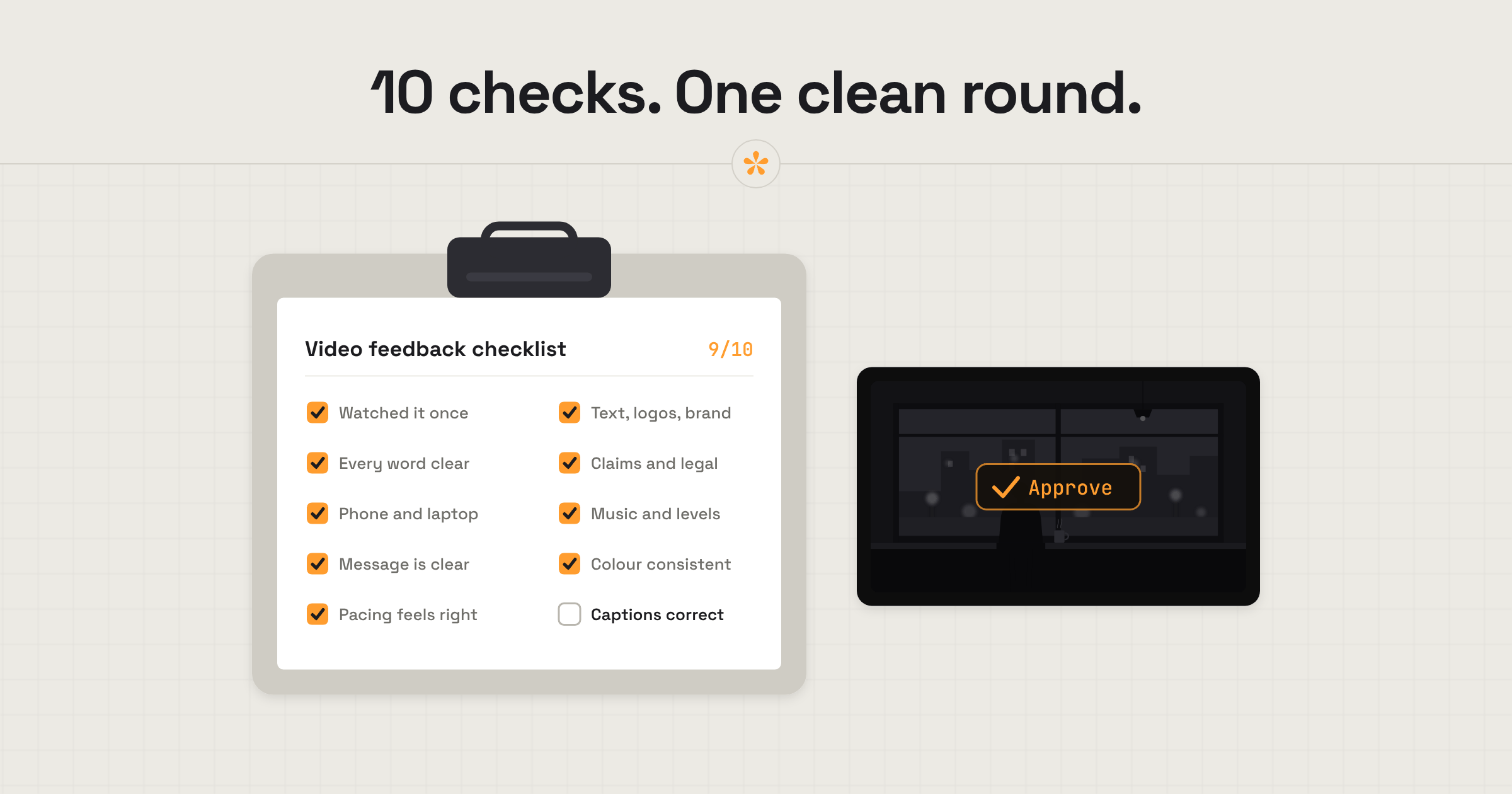
Before reviewing a video, watch the whole cut once without stopping. Then go through it again, checking the story, pacing, dialogue, text, branding, colour and sound. Leave specific notes at the moments that need attention, and separate essential fixes from nice-to-have changes.
The short version
- Watch it all the way through once.
- Check you can clearly hear every word.
- Watch it on the screens your audience will use.
- Go through the checklist below and note each problem at its moment.
- Mark which notes are must-fix and which are nice-to-have.
- If others on your side are reviewing too, sort out any notes that contradict each other.
ON THIS PAGE · 7 SECTIONS
How was this checklist put together?
This checklist comes from the problems that most often cost an extra round of changes: things a client spots only after the video has gone out, or notes that arrive in the wrong order. It's written for anyone reviewing a finished or nearly finished video, with no editing knowledge needed. For an early rough cut, only the first five checks really apply; what to look for in a rough cut vs a final cut explains why.
What should you check before sending video feedback?
Work through these in order. Each one comes with an example of a note that would flag the problem; the examples are illustrations.
1. Watch it all the way through once
Watch the whole video without stopping before you write anything, to judge it the way your audience will. Example general note: “Overall it flows well. A few small notes below.”
2. Can you clearly hear every word?
Dialogue is arguably the most important thing to get right: if people can't hear what's said, nothing else matters much. Example: “The dialogue is hard to hear here.”
3. Does it work on the screens your audience will use?
Watch and listen on a phone and a laptop, since that's how most people will see it. Example: “On my phone, the text at 0:20 is too small to read.”
4. Is the message clear?
By the end, would someone know what the video is about and what you want them to do? Example: “By the end I'm not sure what we're asking people to do.”
5. Does the pacing feel right?
Notice where it drags or rushes. Example: “Can we hold this shot any longer?”
6. Are on-screen text, logos and branding right?
Check everything that appears on screen: titles, people's names and job titles, spelling, logos and any other brand assets, like colours and fonts. Make sure it's all current and nothing is off-brand. Examples: “Her title should be Head of Marketing, not Marketing Manager.” “That's our old logo. Could we use the new one?”
7. Have claims and legal lines been checked?
Prices, offers, health or performance claims and disclaimers usually need a second pair of eyes from whoever signs them off. Example: “Legal needs 'Terms apply' under this price.”
8. Are the music and sound levels right?
Listen for music that covers voices or ends abruptly. Example: “The music is too loud in this section.”
9. Does the colour look consistent?
You don't need a trained eye: just notice shots that look different from the ones around them. Example: “The colours of this shot don't match the others.”
10. Are the captions correct?
If there are captions or subtitles, read them against what's said. Example: “This caption says 'there', it should be 'their'.”
- [ ] Watched it all the way through once
- [ ] Every word is clear
- [ ] Checked on a phone and a laptop
- [ ] The message is clear
- [ ] The pacing feels right
- [ ] On-screen text, logos and branding are right
- [ ] Claims and legal lines are checked
- [ ] Music and sound levels are right
- [ ] The colour looks consistent
- [ ] Captions are correct
Which notes are must-fix and which are nice-to-have?
A must-fix is anything wrong, risky or off-brand; a nice-to-have is a matter of taste. Both are welcome, but saying which is which helps the editor put the time where it counts. Starting a note with “Must fix:” is a simple way to show it.
| Must-fix | Nice-to-have |
|---|---|
| A misspelt name or the wrong job title | Preferring a different shot of the same thing |
| The old logo, or the wrong brand colour | A different transition between two scenes |
| A claim legal hasn't approved | A title that could be styled a bit differently |
| Dialogue you can't hear | A shot you'd hold for a second longer |
| A misspelt word in the captions | A warmer feel to the colour overall |
What do good notes look like?
Good notes are specific: they sit on the exact moment and say plainly what you'd change. You don't need editing terms. Some examples, pinned to the moment they're about:
- “The dialogue is hard to hear here.”
- “Can we hold this shot any longer?”
- “Do we have a different shot to replace this one?”
- “The colours of this shot don't match the others.”
- “The music is too loud in this section.”
- “Can we put a big title over here?”
If you can, add the why: “Can we hold this shot any longer? It's the only one where you can see the product clearly.” How to explain a change when you're not a video person has more on putting feelings into words.
How should you send your notes?
Leave each note on its moment, then add one general note that sums up your overall view. On a SceneNote review link the editor sees every note as you leave it, so there's no need to email them a list as well.
Overall: [one line on how you feel about this version, for example “really close, mostly small fixes”].
Must-fix: [the number of must-fix notes, for example “3, marked Must fix”].
Everything else is a suggestion. [Anything the editor should know, for example “Sam from legal will check the price line by Friday.”]
What does this look like on a real project?

One mistake that happens often is spelling, especially in captions. A lot of the time we auto-generate captions because it's quicker, but they don't always get the spelling right, and that's very easy to miss if you haven't gone through a thorough checklist of these little things. Sometimes there's also something in the frame that shouldn't be there, a detail the client doesn't want, so it helps to have someone go through and make sure nothing sensitive has been left in.
With product videos, a lot of claims are made. You might be showing a product's features, or it could be a service, but someone needs to fact-check everything. There have been times when I've been briefed with a list of things that had to go into a video word for word, but something had changed since the copywriter wrote it. It almost got missed, because as the editor you wouldn't know. Someone on the team needs to be looking out for these details, and a bit of structure and a checklist to follow gives you the best chance of not forgetting something.
Once a video is out there, the only way to change it is to delete it and upload a new one, so it's very destructive. You want to get it right. That's why I often encourage clients to go over it with a fine-tooth comb before they approve it.
FAQ
What should I check first when reviewing a video?
Watch it once without stopping and ask whether it makes sense. At its core, every video has a message or a story: is it understandable, and is it told well enough? Part of that is whether you can clearly hear what's being said. Save the detailed notes on specific things for the second pass.
Do I need to check everything on this list in a rough cut?
No. In a rough cut, focus on the message, the story and the pacing. Spelling, logos, colour and sound levels are usually finished later.
How long should a review take?
There's no exact science to it. It depends on the project and the client, and you may want to watch it several times. Take as long as you need: having a process you follow, like this checklist, matters more than how long you spend.
Is it OK to send a lot of notes?
Yes. Many clear, specific notes are easier to work with than a few vague ones, especially if you mark which ones are must-fix.
What's the quickest way to check a video before sending feedback?
Watch it once without stopping, make sure every word is clear, and check it on a phone and a laptop. Then work through on-screen text and branding, legal lines, sound, colour and captions, marking anything that must be fixed.
Make your next review round count.
Check the essentials and flag what needs fixing, all in one place.
Related guides
Kiril Dobrev
Filmmaker · part of the team behind SceneNote
Kiril Dobrev is a filmmaker with 15 years of experience and a passion for documentary and travel. He’s spent a lot of that time in the editing room, obsessing over how to make his workflow better, and the feedback loop has always been a big part of that. Post-production still hasn’t had a good enough answer to it. SceneNote was born from that, with one simple idea: make feedback better.
More guides by Kiril →