
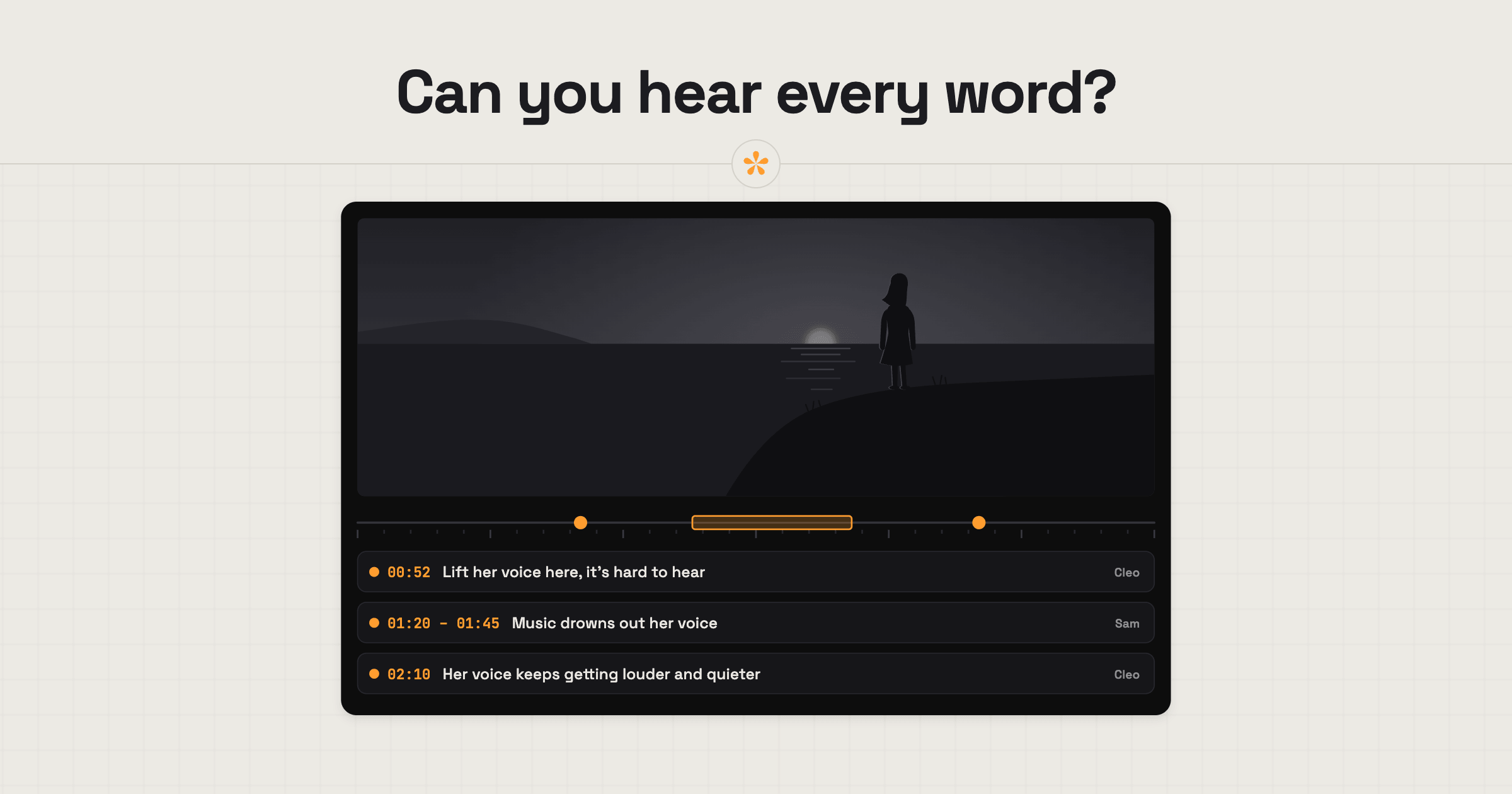
To give useful feedback on music and sound in a video, start by checking that every word of dialogue is clear. Then flag moments where the music is too loud, too quiet or doesn't fit the mood. Leave a timestamped note for a specific moment, or mark a time range if the problem lasts longer. Listen on headphones and a phone or laptop, since the mix can sound quite different on each.
The short version
- Listen once all the way through, ideally on headphones.
- Check you can clearly hear every word (dialogue is top priority).
- Note where the music is too loud, too quiet or the wrong mood.
- Use a range note for a whole section, not just one moment.
- Listen again on a phone and a laptop.
- Paste a link to any track or sound you'd like instead.
ON THIS PAGE · 8 SECTIONS
What should you listen for in a video's sound?
Listen for the dialogue first. If people can't hear what's being said, nothing else in the mix matters much, so it's arguably the most important thing to get right. Then work outwards.
- Dialogue. Can you clearly hear every word, all the way through?
- Music against voices. Does the music ever compete with someone talking?
- Mood. Does the music fit the feeling of each part, and does it change at the right moments?
- Sound effects. Do they help, or do they distract?
- Silence. Is there a moment that would land better with less sound, or none?
- Consistent levels. Does every voice sit at a steady volume all the way through? Dialogue recorded in different places can come out louder or quieter from one section to the next.
Which plain words work for sound notes?
You don't need audio terms to give useful sound notes. Say what you hear and where, and the editor or sound mixer will know what to do.
| What you hear | What to say |
|---|---|
| The music covers someone talking | “The music drowns out his voice here.” |
| The music feels wrong | “This feels too dramatic for a product demo.” |
| The music ends abruptly | “The music cuts off suddenly here. Could it fade out?” |
| A voice is too quiet | “I can barely hear her in this part.” |
| Volume jumps between shots | “It gets much louder when we cut to the second interview.” |
| A distracting noise | “There's a hum in the background from here.” |
| Too much going on | “Lots of sound effects here. Could it be calmer?” |
Where should you listen when you review a video's sound?
Listen on the speakers your audience will actually use. For most videos that means a phone and a laptop, so check on both, then on headphones for detail. No mix sounds the same everywhere; editors aim for the best average across them.
- Phone speaker. Where many people will hear it. Voices should still be clear here.
- Laptop speakers. A good middle ground, and how a lot of office viewers will watch.
- Headphones. Best for spotting hums, clicks and voices that are slightly too quiet.
- A TV or proper speakers. Worth it for anything shown on a big screen or at an event.
If you only had a phone to hand, say so in your note (“listened on my phone”), so the editor can weigh it up.
How do you suggest a different track?
To suggest a different piece of music, say what's wrong with the current one and show what right sounds like. Paste a link to a track with the feel you want into your note; on a SceneNote review link it shows as a small chip the editor can open.
- Leave the note where the music starts, or as a general note if it's the whole video.
- Say what isn't working: “too slow”, “too sad”, “feels like a car advert”.
- Paste a link to something closer, and say what you like about it: the energy, the instruments, the build.
For commercial work, remember that the editor needs music they're licensed to use, so treat your link as a direction rather than the exact track. If the editor offers two or three options, they may put them to a poll: just click the one you prefer.
How do you mark a section, not a moment?
Music and sound notes usually cover a stretch rather than a single frame, so use a range note. On a SceneNote review link, press + range under the time, set the start and the end, and write your note.
When the editor opens it, that stretch plays three times on a loop, so they hear exactly what you heard. A range note also works for audio-only projects, like a podcast, where it sits on the waveform.
What does this look like on a real project?

One client asked for a shorter, more upbeat intro, something that would hook people straight away. So we pushed the tempo up, tightened the cuts and made it build into the film, instead of starting slow.
We mix on our headphones or desk speakers, but that's not how people watch. Everyone has different earphones, laptops, TVs and sound systems, and they all sound a bit different. So I check a draft on as many devices as I can, to make sure the voiceover isn't drowned out by the sound design and the bass doesn't take over on small speakers.
On bigger jobs the music comes first, sometimes even in the pitch, because it sets the feel and the pace of the whole film. I give the client a few options with different vibes, we agree on the feeling, and that becomes the brief for a custom score that grows with the edit. One of the most useful notes I've had was a reference link dropped right on the moment, so I could hear exactly what they meant.
What I wish every client knew: without the stems or a custom score, music is limiting. Add one shot and you might need four more bars, and then a few more shots to fill them, because the edit is cut to the beat.
How to handle common problems
The music drowns out someone talking
Leave a range note over the whole stretch where it happens (“music too loud under the interview, 1:20 to 1:45”). Voices usually win, so the editor will bring the music down or move it.
You want a specific song
Paste the link and say what you love about it, but expect the editor to suggest something similar. Popular songs usually need a licence for commercial use, and that can be costly or slow.
Levels jump between two people
Leave a note at the moment it happens, saying who sounds louder or quieter. On interviews and podcasts this is a common fix and a quick one.
FAQ
Do I need audio lingo to give sound feedback?
No. “The music is too loud here” or “I can't hear her” are exactly what an editor needs, as long as the note is at the right moment.
Should I review the sound on my phone?
Yes, and on a laptop too, because that's how most people will hear it. Use headphones as well when you want to catch small problems.
Can I comment on the sound in a podcast or audio file?
Yes. On a SceneNote review link for an audio project, you leave notes on the waveform exactly as you would on a video, including range notes and voice notes.
What's the simplest way to give feedback on music and sound?
Check you can hear every word, then mark where the music is too loud, too quiet or the wrong mood, with a range note for each stretch. Listen on a phone and a laptop, and paste a link to anything you'd like instead.
Hear something off? Point it out!
Mark the moment where it doesn't sound right. Your editor will know where to listen.
Related guides
Bryn North
Filmmaker and creative director · part of the team behind SceneNote
Bryn North is a filmmaker and creative director who has been making films since 2013, mostly documentaries and travel films, with a soft spot for stories about cultural heritage. He has directed, shot and edited launch films for DJI, worked with brands like Audi and Samsung and with a number of tourism boards, and some of his personal travel films have had millions of views. Working with a new client almost every month, he found that most of the job was communication, and that every client gave feedback differently. SceneNote is his answer: one simple way for clients to leave detailed notes and talk them through.
More guides by Bryn →