
To walk another editor through your project, record your screen as you explain how the files and timeline are organised, why you've set things up that way and what's left to do. In SceneNote, you can divide the walkthrough into chapters and share a link where the other editor can ask questions at the exact moments they come up, without needing to arrange a call.
The short version
- Decide what they need: your set-up, a handover, or both.
- Open the project and record your screen, camera and voice.
- Take it one part at a time, and say why you set it up that way.
- Add a chapter for each part.
- Turn comments on and send the link.
- Answer their questions under each note.
ON THIS PAGE · 7 SECTIONS
What's worth recording?
Record the things another editor can't work out by opening the project on their own: how it's organised and why, your workflow, and where you're up to. That usually means one of two recordings.
Your set-up and workflow, when someone joins the project or you're sharing how you work:
- The project and folder structure, and how the bins are named
- The timeline layout and your track conventions
- How a grade is built, node by node
- An effects, titles or template set-up
- Your export settings
A handover, when someone picks up the edit from you:
- Which timeline is the latest, and where it lives
- What's done, what's rough and what's still to cut
- Open client notes, and anything already agreed
- Where the media, music and graphics are, and anything still missing
- Deadlines, and who to ask about what
How do you record it, step by step?
You record it in SceneNote, in your browser, with your editing app open. How to record a video walkthrough covers every step in detail; this is the short version.
- Open the project in your editing app, at the place you'll start.
- In SceneNote, choose New project, then Record screen, and press Start recording.
- Set up your camera and microphone, then choose what to share. Share the editing app's window, or your whole screen if you'll move between apps.
- Record one part at a time. Pause between parts if you need to find something.
- Stop, trim the start and end, and add a chapter at each part.
- Write a short description, turn comments on and send the link.
Here's a handover description you can copy and adapt:
Handover for the brand film, in four chapters: the project and bins, the latest timeline, open client notes, and what's left to cut.
The latest timeline is “Brand film v4” in the Edits bin. Leave a note at any moment you have a question, and I'll reply there.
How do you make it easy to follow?
Make it easy to follow by taking it one part at a time, showing things up close, and explaining why, not just what.
- One topic per chapter. Bins in one, the timeline in the next. They can jump back to the part they need when they're actually working on it.
- Zoom in on the panel you're talking about. Editing apps are full of small text. Make the panel bigger, or zoom into the timeline, so it reads at a glance.
- Say why you set it up that way. “All the interviews sit on tracks one and two, so the sound mix can treat them as one group” is more useful than “interviews are on tracks one and two”.
- Point with your cursor. Move slowly, and stop on the thing you're naming.
- Keep the camera bubble out of the way. Put it in a corner you're not using, or make it smaller. They can move it too.
How does the other editor ask questions?
The other editor asks by leaving a note at the moment the question comes up, and you reply under it.
- Turn comments on: Allow comments in the recording editor, or Comments in Project settings.
- Send the link. They type their name the first time they leave a note, with no account needed.
- They pause where something's unclear and type the question. It's pinned to that moment, so you see exactly what they were looking at.
- You reply under the note. If they've switched on email alerts, they'll hear about your reply.
Questions stay with the recording, so anyone who joins the project later can read them too.
What does this look like on a real project?

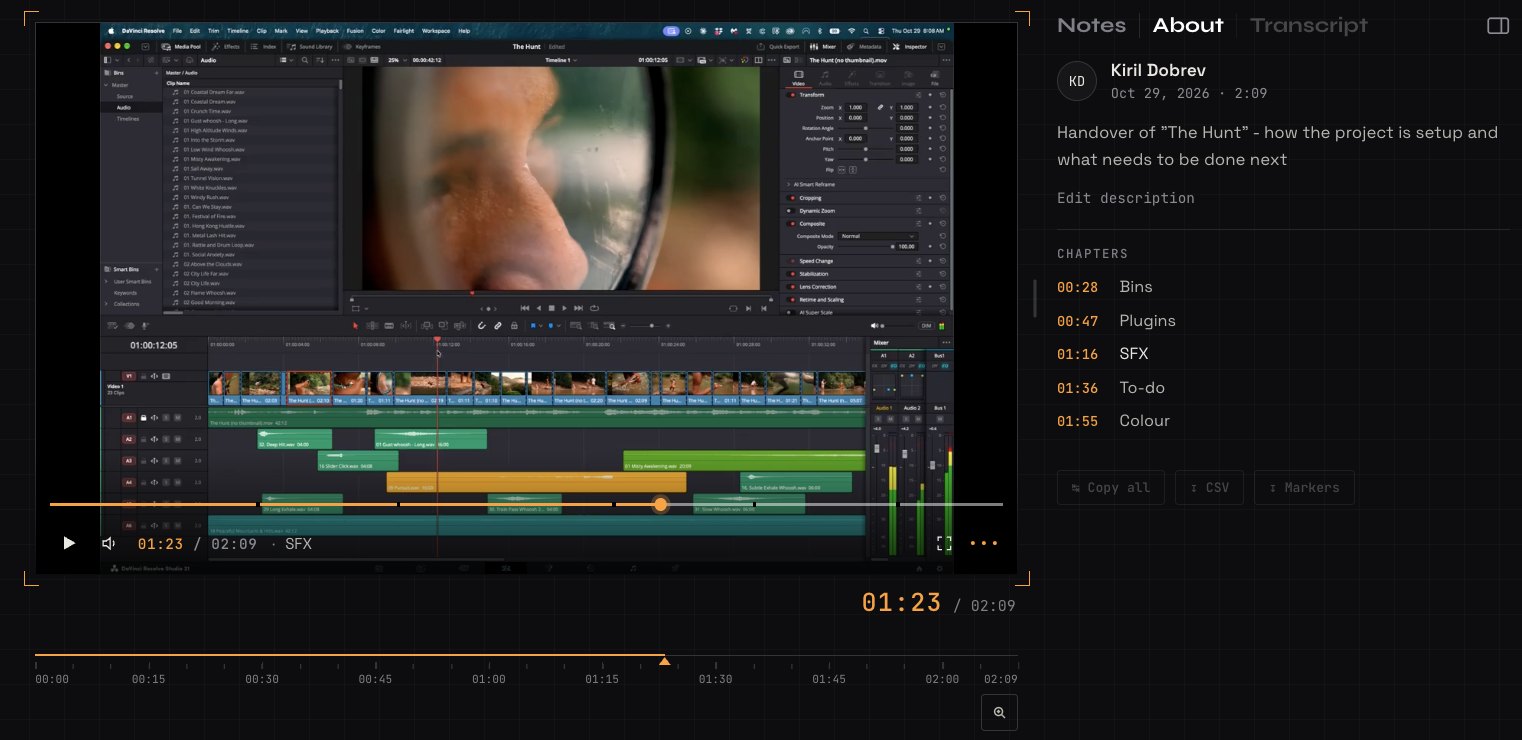
It's not uncommon for more than one editor to work on the same project, sometimes in different departments. Someone might be doing the sound and the final mix, or an assistant editor might pick up the project after the assembly edit.
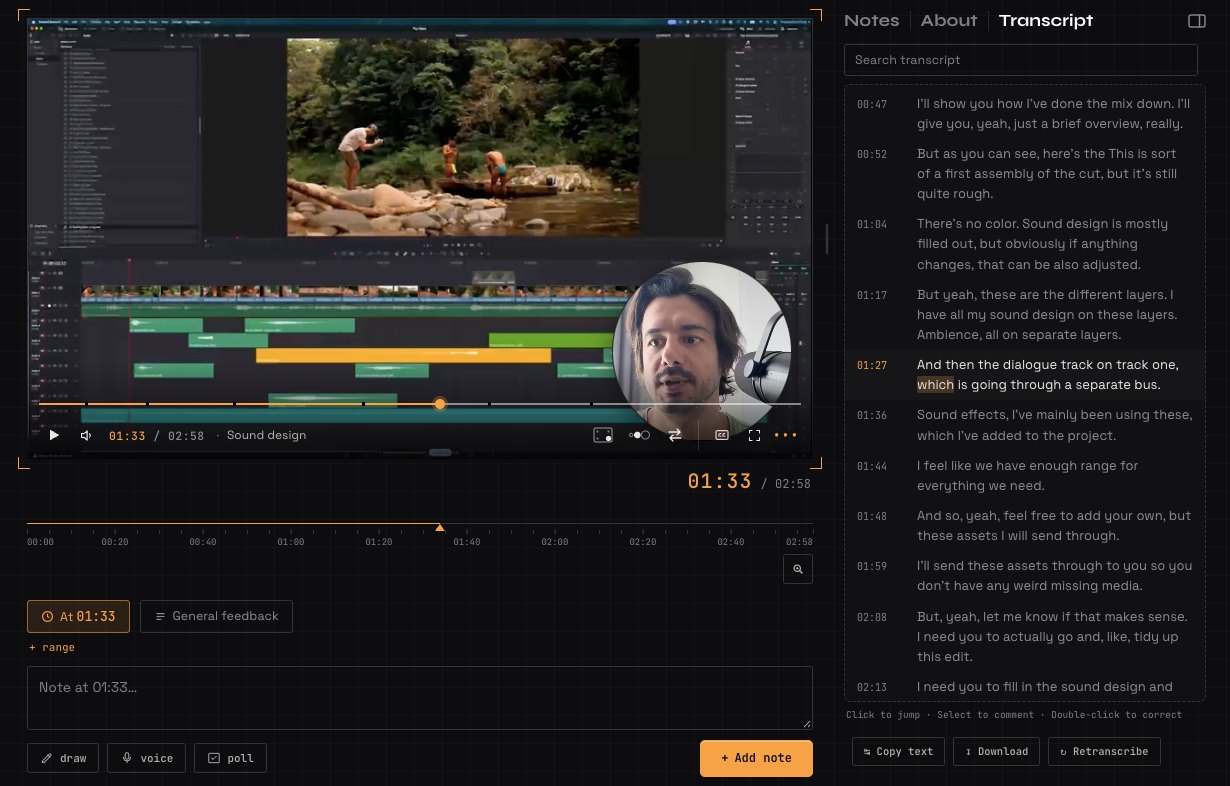
Whatever the case, it's so nice to be able to hand a project over with a bit of context: how it's been set up, where all the bins are and what assets have been used. I walk them through the selects and show them where they are, and how I've set up the buses for the sound design. Really, anything to bring them up to speed. It's so nice to be able to show rather than tell.
What I really like is that chapters make it easy to follow along, because you can split it up by section. It ends up saving quite a bit of time, because it cuts back on the questions that need answering, and on mistakes that could have been avoided with a proper, informative handover.
How to handle common problems
A long recording nobody watches
Split it into chapters, so they can jump to the part they need when they need it. If it's still long, record the set-up and the handover separately. A recording can be up to 10 minutes on the free plan, and up to 60 on Pro.
Small text that's hard to read
Share one window rather than a big whole screen, and zoom into the panel you're talking about. Viewers can watch full screen, and pick a higher quality from the ••• menu.
Things change after you record
Projects move on. Say in the description when you recorded it, and record a short update when something big changes, like a new latest timeline.
They'd rather talk it through live
Some people do. The recording still helps: they watch it first, and the call is shorter and only about the questions that are left.
FAQ
Is a screen recording better than a call for a handover?
Often, yes. They can watch it when they start the work, pause it, and go back to a part later. A call is better for a real back-and-forth about decisions. You can do both: send the recording first, then keep the call short.
Do I need to share the project files too?
Yes. The recording explains the project; it doesn't move it. Share the project and media files the way you normally would.
Which editing apps does this work with?
Any of them. You're recording your screen, so it works the same for DaVinci Resolve, Premiere Pro, After Effects or anything else.
Does the other editor need an account?
No. They open the link, watch, and type their name the first time they leave a note.
Can they read along instead of watching?
Yes. SceneNote transcribes your voice automatically, so they can read or search the transcript, or turn on captions with the CC button.
What's the easiest way to hand over an edit to another editor?
Record your screen while you walk through the project, the latest timeline and what's left to do, add a chapter for each part, and send the link with comments on. They ask questions at the exact moment, and you answer when you can.
Hand over your edit without the long call.
Record your screen to walk another editor through the project.
Related guides
Kiril Dobrev
Filmmaker · part of the team behind SceneNote
Kiril Dobrev is a filmmaker with 15 years of experience and a passion for documentary and travel. He’s spent a lot of that time in the editing room, obsessing over how to make his workflow better, and the feedback loop has always been a big part of that. Post-production still hasn’t had a good enough answer to it. SceneNote was born from that, with one simple idea: make feedback better.
More guides by Kiril →